




Tribefort (PC) Steam Download
Runs on Windows
 Runs on Windows
Runs on MAC
Runs on Linux
Steam Deck compatibility
Compatibility details are loading.
Reported by Steam. Cached for up to 24 hours.
Play on XBOX 360
Play on Wii U
Play on XBOX ONE
Play on Series X|S
Play on PS3
Play on PS4
HTC Vive Support
Oculus Rift Support
Windows Mixed Reality Support
Steam Deck compatibility
Compatibility details are loading.
Reported by Steam. Cached for up to 24 hours.
Released
Developed by
Published by RILE Games
Runs on Windows  Single Player
 Multi-Player
 Co-Op
 Achievements
 Action
 Adventure
 RPG
 Strategy
 Download
gamers playing right now

Our Price: £4.99


- Description
- Track Listing
- Media
- Reviews
- Trading Cards
- Achievements
- Languages
- System Requirements
- How Do I Download?
In Tribefort, you fight for survival on a vast island. Explore the lands to gather information. Mine and gather resources that you will need for your base. Farm and keep animals to survive. Strategize to win over your opponents.
In this game you can play against many other players in two or more teams.
Either host a server from the game client or create a dedicated server.
Over 70 different achievements.
You will need to gather resources to survive. Mine ores, chop down trees, find treasure chests, pick herbs and food.
To survive in the wilderness you will need to have enough food. Grow crops to keep you and your team healthy.
Craft items, weapons and armor. Get an advantage over your opponents by advancing in technology and gain access to better material and items.
Build your base and protect it from enemies. Build walls, farms, furnaces, storage, anvils etc.
Make sure to plan for the night. Prepare with torches, clothes and food to survive.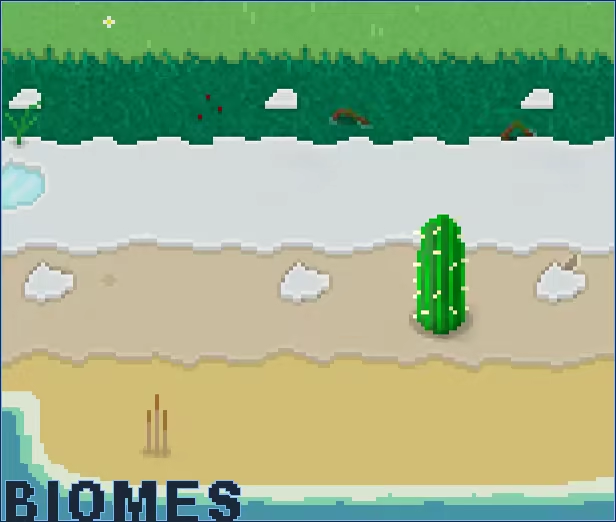
The island consists of many different biomes, each with its own properties. Each map is randomly generated. Explore the lands and adapt to the environment.
Loading player reviews…
| Name | Image |
|---|
This product currently supports the following languages:
Windows

Steam key activation & download guide
Follow these steps if you purchased a Steam Key. Steam Gifts use the separate gift-redemption instructions.
Get Steam ready
You will need the Steam desktop client installed on your computer. If it is already installed, simply open it. Otherwise, install Steam before continuing with the activation steps below.
Sign in to your Steam account
Open Steam and sign in, or create an account if you do not have one. Check that you are using the account on which you want to activate your purchase.
Open product activation
In the Steam client, choose + Add a Game at the bottom-left, then Activate a Product on Steam. Follow the on-screen prompts.
Enter your Steam key
Copy the product key supplied with your purchase into the activation field and continue through the confirmation. Use the product key, not your order number.
Download and play
Open your Steam Library, select the activated game and choose Install. Follow the download and installation prompts, then launch the game from your Library.
Having trouble activating your key? Check that you copied the full product key and entered it in Activate a Product on Steam, not the wallet-code field. If you still need help, contact our support team with your order number and the error message shown. Keep your product key private.
· Publisher: RILE Games