




Cities: Skylines II (PC) Steam Download
Runs on Windows
 Runs on Windows
Runs on MAC
Runs on Linux
Steam Deck compatibility
Compatibility details are loading.
Reported by Steam. Cached for up to 24 hours.
Play on XBOX 360
Play on Wii U
Play on XBOX ONE
Play on Series X|S
Play on PS3
Play on PS4
HTC Vive Support
Oculus Rift Support
Windows Mixed Reality Support
Steam Deck compatibility
Compatibility details are loading.
Reported by Steam. Cached for up to 24 hours.
Released
Developed by
Published by Paradox Interactive
Runs on Windows  Single Player
 Controller Support
 Achievements
 Cloud Saves
 Simulation
 Strategy
 Download
 The content of games with a PEGI 3 rating is considered suitable for all age groups. The game should not contain any sounds or pictures that are likely to frighten young children. A very mild form of violence (in a comical context or a childlike setting) is acceptable. No bad language should be heard.
gamers playing right now

£41.99
Save 16%
Our Price: £34.99
- Description
- Track Listing
- Media
- Reviews
- Trading Cards
- Achievements
- Languages
- System Requirements
- How Do I Download?


Raise a city from the ground up and transform it into the thriving metropolis only you can imagine. You've never experienced building on this scale. With deep simulation and a living economy, Cities: Skylines II delivers world-building without limits.
Lay the foundations for your city to begin. Create the roads, infrastructure, and systems that make life possible day to day. It's up to you – all of it.
How your city grows is your call too, but plan strategically. Every decision has an impact. Can you energize local industries while also using trade to boost the economy? What will make residential districts flourish without killing the buzz downtown? How will you meet the needs and desires of citizens while balancing the city's budget?
Your city never rests. Like any living, breathing world, it changes over time. Some changes will be slow and gradual, while others will be sudden and unexpected. So while seasons turn and night follows day, be ready to act when life doesn't go to plan.
The most realistic and detailed city builder ever, Cities: Skylines II pushes your creativity and problem-solving to another level. With beautifully rendered high-resolution graphics, it also inspires you to build the city of your dreams.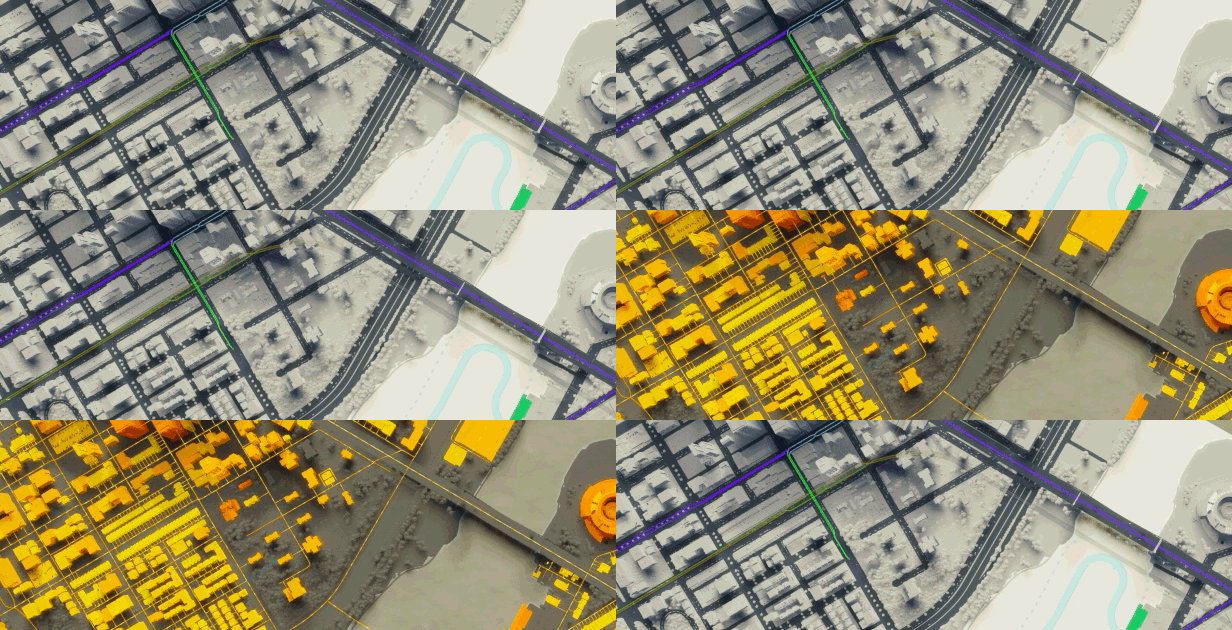

AI and intricate economics mean your choices ripple through the fabric of the city. Remember that as you strategize, problem-solve, and react to change, challenges, and opportunities.

Cities: Skylines II lets you create without compromise. Now you can build sky-high and sprawl across the map like never before. Why not? Your city is you.

Your decisions shape each citizen's life path, a chain of events that defines who they are. From love and loss to wealth and wellbeing, follow their life's ups and downs.

Pick a map to set the climate of your city. These are the natural forces you'll negotiate to expand your city amid rising pollution, changeable weather, and seasonal challenges.
Loading player reviews…
| Name | Image |
|---|
This product currently supports the following languages:
Windows

Steam key activation & download guide
Follow these steps if you purchased a Steam Key. Steam Gifts use the separate gift-redemption instructions.
Get Steam ready
You will need the Steam desktop client installed on your computer. If it is already installed, simply open it. Otherwise, install Steam before continuing with the activation steps below.
Sign in to your Steam account
Open Steam and sign in, or create an account if you do not have one. Check that you are using the account on which you want to activate your purchase.
Open product activation
In the Steam client, choose + Add a Game at the bottom-left, then Activate a Product on Steam. Follow the on-screen prompts.
Enter your Steam key
Copy the product key supplied with your purchase into the activation field and continue through the confirmation. Use the product key, not your order number.
Download and play
Open your Steam Library, select the activated game and choose Install. Follow the download and installation prompts, then launch the game from your Library.
Having trouble activating your key? Check that you copied the full product key and entered it in Activate a Product on Steam, not the wallet-code field. If you still need help, contact our support team with your order number and the error message shown. Keep your product key private.
· Publisher: Paradox Interactive