




Breath of Fire IV (PC) Download
Runs on Windows
 Runs on Windows
Runs on MAC
Runs on Linux
Play on XBOX 360
Play on Wii U
Play on XBOX ONE
Play on Series X|S
Play on PS3
Play on PS4
HTC Vive Support
Oculus Rift Support
Windows Mixed Reality Support
Released
Developed by
Published by Capcom
Runs on Windows  Single Player
 Controller Support
 Cloud Saves
 Adventure
 Retro
 RPG
 Includes Manual
 Download
 Video games that show violence of a slightly more graphic nature towards fantasy characters or non-realistic violence towards human-like characters would fall in this age category. Sexual innuendo or sexual posturing can be present, while any bad language in this category must be mild. Gambling as it is normally carried out in real life in casinos or gambling halls can also be present (e.g. card games that in real life would be played for money).
gamers playing right now

£7.99
Save 13%
Our Price: £6.952 left!

- Description
- Track Listing
- Media
- Reviews
- Trading Cards
- Languages
- System Requirements
- How Do I Download?

In a far-away world, two continents float, separated by a vast swamp-land. For eons, no contact existed between the two continents because ships couldn’t sail across the expanse. At last, when the historic first contact was made between the two powers, war erupted!
After long and costly fighting between the Fou Empire in the west and an alliance of countries in the east, both sides exhausted all their strength and resources. With no other alternative, the two powers agreed to an armistice.
One year later, Princess Elina vanished. She had been traveling in the east from town to town, exploring battlegrounds and visiting war veterans. Her trail vanished in a small town near the front line. Nobody knew her whereabouts!
The Eastern Alliance wanted to avoid sending a large army to the front. Such a move would be a political blunder, breaking the armistice and stirring up hostilities. It became impossible to carry out a large-scale search for Elina. Time passed... with no sign of the princess.
Elina’s sister, Princess Nina, finally makes up her mind. She leaves on a journey in search of her sister – by herself.
Characters

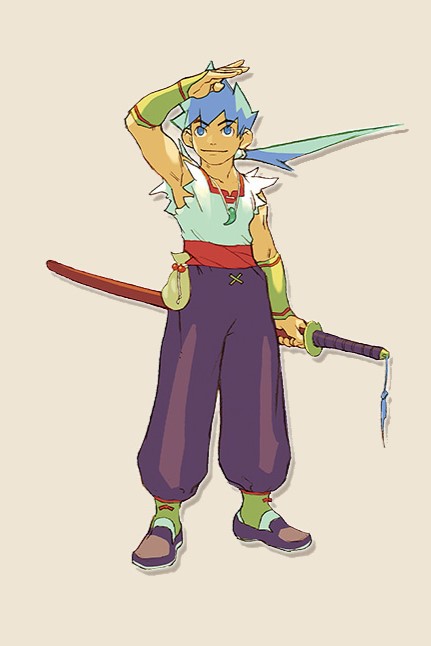
Ryu meets Nina while he is lying unconscious on a street in a desert town in the eastern continent. His race and native land are unknown. Ryu has a Dragon’s Eye, which empowers him with the amazing abilities to transform into a dragon and summon dragons.
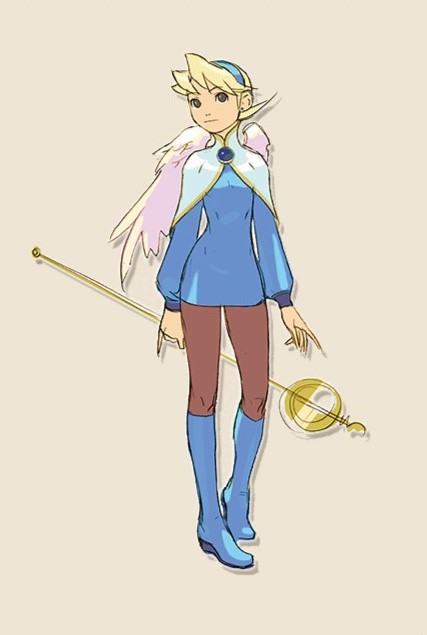
The princess of Wyndia, a town of the Fae tribe (winged folk). Nina meets Ryu on her journey to seek her lost sister Elina. Though somewhat naïve, Nina is skilled in Healing magic.
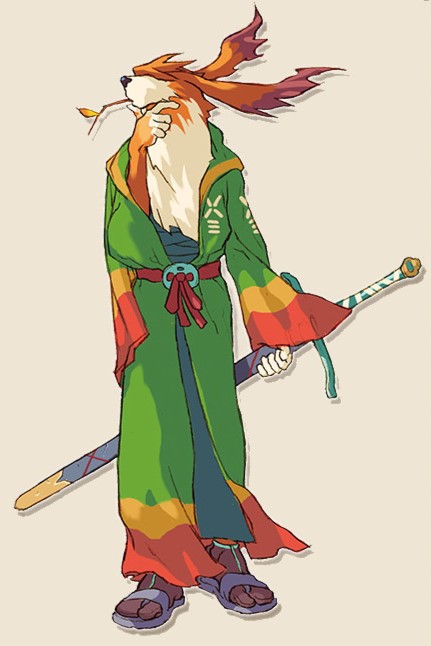
A mercenary soldier, Scias was hired by the eastern side during the war. Scias becomes the party’s watcher. He is very quiet and aloof from the world. Scias can perform a powerful double attack with his sword.
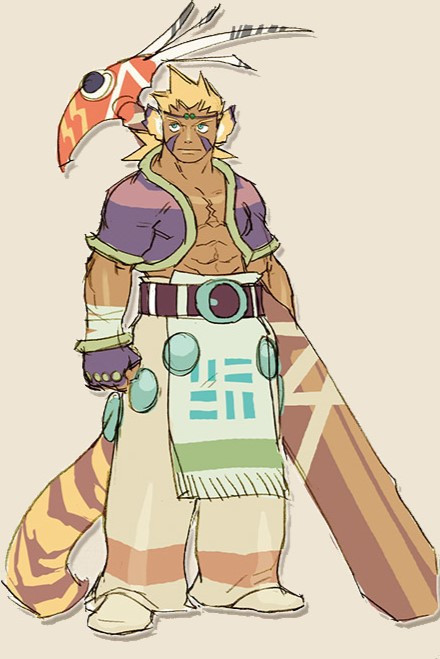
A young leader of the Woren tribe (cat people) in the eastern alliance, Cray joins Nina to search for Princess Elina, his childhood friend. He has a strong sense of responsibility and acts as the leader of the party. His high offensive and defensive abilities are very dependable.
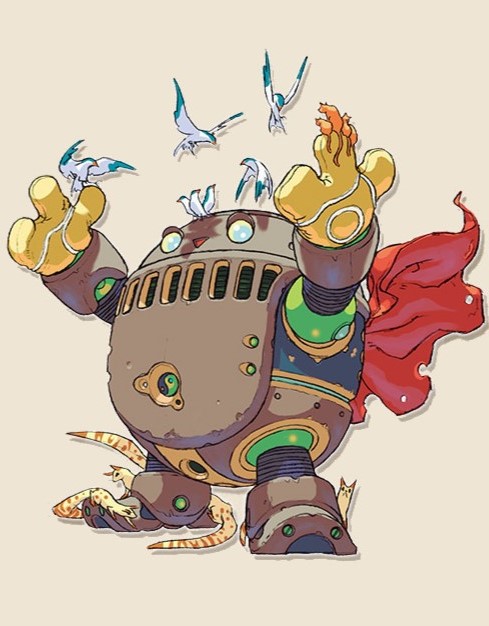
Ershin wears completely sealed armor to protect her from any kind of curse. Since she wears the armor all the time, no one knows her real face or background. She meets the party in a mysterious place polluted by a curse and decides to join them.
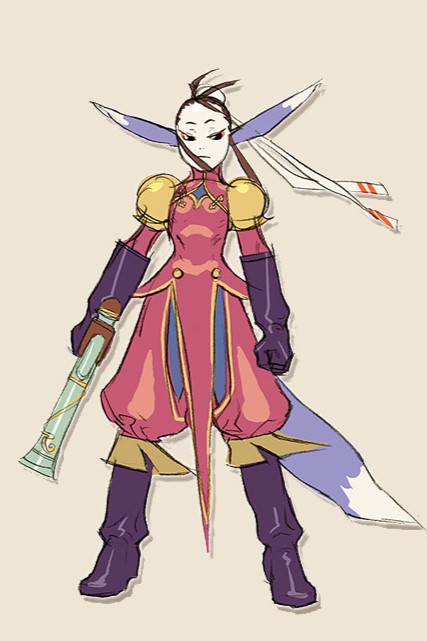
Ursula is a middle-class leader of the Fou Empire. She came to the eastern continent in search of dragons, and meets up with Ryu and his companions. Ursula was brought up in the military, and knows very little about worldly concerns. She is excellent at attacking with both magic and weapons.
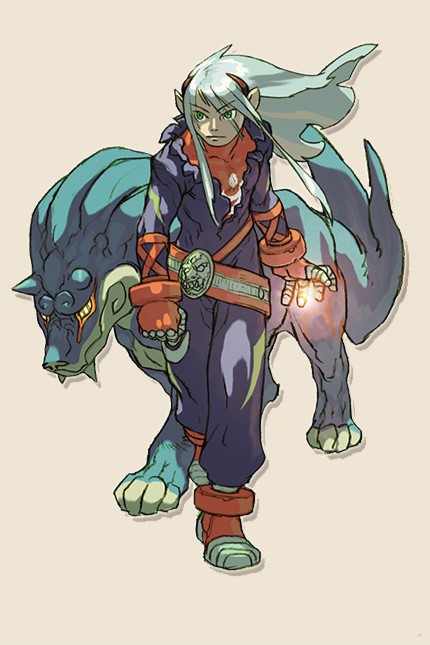
Fou-lu unified the western continent single-handedly with his paranormal powers. He became the first emperor of the Fou Empire several hundred years ago. Despite his youthful look, he has mystic dignity. It is said that he predicted his own resurrection as he passed away.
Features
Here’s how we ensured that this masterpiece is better than ever and what you can expect with GOG’s version of the game:
- Full compatibility with Windows 10 and Windows 11
- Both 2 localizations of the game included (English and Japanese)
- Improved DirectX game renderer
- New rendering options (Windowed Mode, Vertical Synchronization Control, Gamma Correction, Integer Scaling, Anti-Aliasing, and more)
- Improved audio engine (restored missing environmental sounds and audio configuration)
- Improved keyboard and mouse support
- Improved Warehouse and Crane minigames
- Improved F9 exit screen
- Issue-free battle and combo system (all crashes have been fixed)
- Issue-free cutscene scripting
- Issue-free task switching
- Full support for modern controllers (Sony DualSense, Sony DualShock4, Microsoft Xbox Series, Microsoft Xbox One, Microsoft Xbox 360, Nintendo Switch, Logitech F series and many more) with optimal button binding, vibration, hotplugging and wireless mode
Let’s go back in time to the PlayStation 1 era and reminisce about how Breath of Fire IV was presented to gamers back in 2000:
After centuries of war, the two lands bordering an impenetrable swampland have finally reached an armistice. Mysteriously, the noble Princess Elina disappears somewhere near the war-ravaged front lines. Distraught, her sister Nina goes in search of the Princess alone and on her journey, meets a mysterious young warrior named Ryu. Their destinies soon entwine. The next chapter in the epic tale of magic and mystery now unfolds. The fate of what lies ahead rests in your control.
- Stunning New and Improved Graphics – High Resolution, Animated Characters in Vast 3-D Worlds
- More Than 200 Spells to Learn and Master – Unlock New Magic From Opponents
- 2 Epic Intertwining Storylines – Follow the Fates of Ryu and Fou-Lu – A Classic RPG Adventure!
System requirements
Loading player reviews…
| Name | Image |
|---|
This product currently supports the following languages:
Windows

Redeem your key once, then choose how you want to install your game.
1. Add the game to your GOG account
- Sign in to GOG or create a free account. Use the account you want to keep the game on.
- Open GOG's redeem-code page and paste the key from your Gamers247 order email.
- Complete the verification if prompted, then select Continue. Check the game details and confirm to add it to your account.
2. Install with GOG GALAXY
This is the simplest option if you want the app to manage your downloads and updates.
- Download GOG GALAXY for Windows or macOS and install it.
- Open the app and sign in to the same GOG account you used above.
- Select the game in your library, choose Install and follow the prompts. Once installation finishes, launch the game.
Prefer to install without GOG GALAXY?
You can use offline installers instead. Choose the files for your operating system and language, where available.
- Open your GOG game library in your browser and select the game.
- Expand Download offline backup game installers and download all required setup files.
- Keep the downloaded parts together in one folder, run the setup installer and follow its instructions.
- When installation is complete, launch the game from its shortcut or installation folder.
Key not accepted? Check that you copied the whole key without extra spaces and that you are signed in to the right account. If you still need help, contact us with your order number. Do not post your key publicly.
· Publisher: Capcom
