




Wild Hearts (PC) Download
Runs on Windows
 Runs on Windows
Runs on MAC
Runs on Linux
Play on XBOX 360
Play on Wii U
Play on XBOX ONE
Play on Series X|S
Play on PS3
Play on PS4
HTC Vive Support
Oculus Rift Support
Windows Mixed Reality Support
Released
Developed by
Published by Electronic Arts
Runs on Windows  Single Player
 Co-Op
 Controller Support
 Action
 Adventure
 RPG
 Download
 Video games that show violence of a slightly more graphic nature towards fantasy characters or non-realistic violence towards human-like characters would fall in this age category. Sexual innuendo or sexual posturing can be present, while any bad language in this category must be mild. Gambling as it is normally carried out in real life in casinos or gambling halls can also be present (e.g. card games that in real life would be played for money).
gamers playing right now

£59.99
Save 94%
Our Price: £3.101 left!

- Description
- Track Listing
- Media
- Reviews
- Trading Cards
- Languages
- System Requirements
- How Do I Download?

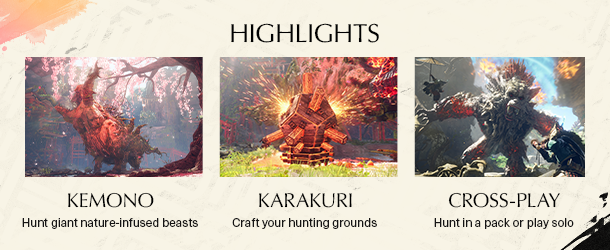
WILD HEARTS™ is a unique twist on the hunting genre, where technology gives you a fighting chance against fearsome beasts infused with the ferocious power of nature itself. Take on these creatures alone or hunt with friends in seamless co-op.
No one remembers why the Kemono began their rampage through a once-prosperous Azuma. Fueled by desperation, they wield the power of primal nature at its most destructive. For a while, it seemed that none could stand against their overwhelming might. But hope arrives in the form of a formidable hunter armed with deadly weapons and ancient technology called Karakuri that could turn the tide of battle.


Developed for this generation of platforms by Omega Force, the Japanese studio behind the DYNASTY WARRIORS franchise, WILD HEARTS™ takes you on an epic adventure set in a fantasy world inspired by feudal Japan.
Loading player reviews…
| Name | Image |
|---|
This product currently supports the following languages:
Windows

1. Go to
https://www.ea.com/en-gb/ea-app and download the EA App.
You can download the macOS Mojave and older (Mojave, High Sierra, Sierra, etc.) versions here

2. Run the EA App / Origin and login to your account (create an account if you havn't already).

3. Click on "+ REDEEM CODE".

4. A new window will open where you can redeem the key we sent to your email.

5. Congratulations the game will now be in your games library where you can download/install then play it, have fun!
· Publisher: Electronic Arts
