




InfraSpace (PC/MAC) Steam Download
Runs on Windows
 Runs on Windows
 Runs on MAC
Runs on Linux
Steam Deck compatibility
Compatibility details are loading.
Reported by Steam. Cached for up to 24 hours.
Play on XBOX 360
Play on Wii U
Play on XBOX ONE
Play on Series X|S
Play on PS3
Play on PS4
HTC Vive Support
Oculus Rift Support
Windows Mixed Reality Support
Steam Deck compatibility
Compatibility details are loading.
Reported by Steam. Cached for up to 24 hours.
Released
Developed by
Published by Dionic Software
Runs on Windows
Runs on MAC  Single Player
 Achievements
 Steam Workshop
 Cloud Saves
 Captions Available
 Simulation
 Strategy
 Download
gamers playing right now

£18.99
Save 91%
Our Price: £1.654 left!

- Description
- Track Listing
- Media
- Reviews
- Trading Cards
- Achievements
- Languages
- System Requirements
- How Do I Download?

Produce Everything you Consume
Out on the edges of human space, you can't build a city by spending credits. Instead, you'll have to put your first astronauts to mining work and get some raw materials. Once you have some iron, carbon, sand, and sulfur, it's time to set up your first steel mill and concrete factory to start laying down some infrastructure. Even necessities like food and oxygen require a steady production chain that must not be broken!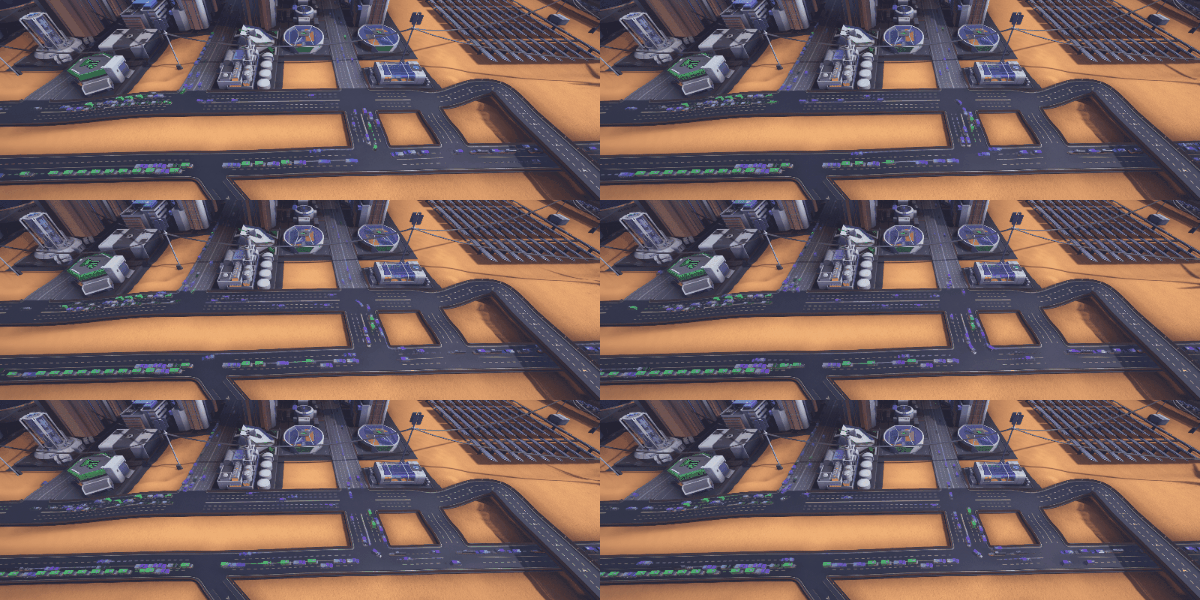
Transport Infrastructure
InfraSpace simulates every. single. car. Each resource you ever produce needs to be transported to a factory for processing and each product needs to go to a habitat for consumption. Your road network can handle a lot, but without your oversight it will grind to a halt and drown in traffic eventually. Build highways, roundabouts, and multi lane roads to ensure the production heart of the city keeps beating.
Trains, Pipes, and Cargo Lifts
Your road network might be versatile, but it's not the right choice for every kind of resource - or the most fun one. Build rails and train stations to haul massive amounts of goods. Build underground pipes to pump liquids and gases all over the city. Build cargo lifts to reach the highest mountain tops and traverse even the most rugged terrain.
Population Growth
Your first colonists will be astronauts, the best and the bravest humanity has to offer. Give them food and shelter and they'll keep your outpost running no matter what. As your settlement grows, you need to cover the increasing workload by employing scientists and engineers, which require a few more creature comforts. Any city of sufficient size will sooner or later be home to more and more families as well, so make sure your schools can handle it and you are able to deliver the latest VR-edutainment products as well.
Terraform the Planet
Living on a desert planet can be harsh - but you have your eyes set on the dream: Terraform the planet, make the desert green and the atmosphere breathable. It's a huge undertaking, requiring a colossal amount of resources. Don't despair, because by the time you're starting this project, you have all the technology, infrastructure, and manpower necessary to make this dream a reality!
You don't have to play hard
Traffic management can be fickle and survival can be tough. You can adjust the difficulties of both to make your city management experience as easy - or as hard - as you want it to be.
Loading player reviews…
| Name | Image |
|---|
This product currently supports the following languages:
Windows
Mac

Steam key activation & download guide
Follow these steps if you purchased a Steam Key. Steam Gifts use the separate gift-redemption instructions.
Get Steam ready
You will need the Steam desktop client installed on your computer. If it is already installed, simply open it. Otherwise, install Steam before continuing with the activation steps below.
Sign in to your Steam account
Open Steam and sign in, or create an account if you do not have one. Check that you are using the account on which you want to activate your purchase.
Open product activation
In the Steam client, choose + Add a Game at the bottom-left, then Activate a Product on Steam. Follow the on-screen prompts.
Enter your Steam key
Copy the product key supplied with your purchase into the activation field and continue through the confirmation. Use the product key, not your order number.
Download and play
Open your Steam Library, select the activated game and choose Install. Follow the download and installation prompts, then launch the game from your Library.
Having trouble activating your key? Check that you copied the full product key and entered it in Activate a Product on Steam, not the wallet-code field. If you still need help, contact our support team with your order number and the error message shown. Keep your product key private.
· Publisher: Dionic Software
