




Iron Lung (PC) Steam Download
Runs on Windows
 Runs on Windows
Runs on MAC
Runs on Linux
Steam Deck compatibility
Compatibility details are loading.
Reported by Steam. Cached for up to 24 hours.
Play on XBOX 360
Play on Wii U
Play on XBOX ONE
Play on Series X|S
Play on PS3
Play on PS4
HTC Vive Support
Oculus Rift Support
Windows Mixed Reality Support
Steam Deck compatibility
Compatibility details are loading.
Reported by Steam. Cached for up to 24 hours.
Released
Developed by
Published by David Szymanski
Runs on Windows  Single Player
 Controller Support
 Achievements
 Steam Trading Cards
 Cloud Saves
 Adventure
 Horror
 Simulation
 Download
gamers playing right now

£6.69
Save 78%
Our Price: £1.45
- Description
- Track Listing
- Media
- Reviews
- Trading Cards
- Achievements
- Languages
- System Requirements
- How Do I Download?

Iron Lung is a short dread-driven submarine horror game from the developer of DUSK, The Moon Sliver, and Squirrel Stapler.
FEATURES
- Experimental minimalist gameplay, where your senses are limited and anything could be lurking around you
- Glimpse your surroundings through the lens of a grainy still camera and navigate using an incomplete satellite map and proximity sensors
- Horror based around building dread and paranoia
- Original soundtrack inspired by the work of Aubrey Hodges (Doom 64)
- A short experience intended to be finished in under an hour
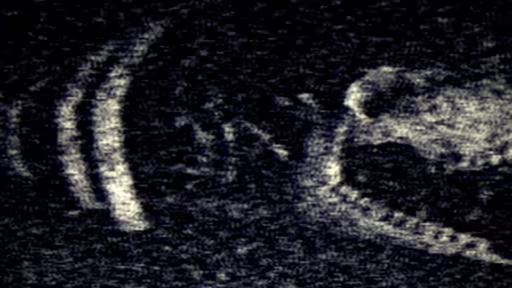
THE GAMEPLAY
Set entirely within a claustrophobic one-man submarine nicknamed the "Iron Lung," you must blindly navigate an ocean of blood to take photographs of key locations, and hope whatever lives below doesn't find you.
There is only a single porthole on the sub, and it needs to be closed due to depth pressure, so you have to navigate purely via an incomplete map, proximity sensors, sound, and a primitive external camera which can be used to take the pictures you need to complete your mission, or to get a grainy low resolution visual of what's happening outside.
Success will require resourcefulness and patience.
THE STORY
Decades ago, every known star and habitable planet mysteriously vanished, along with whatever and whoever happened to be on them, leaving behind an empty universe of asteroids and lifeless moons where the only remnants of humanity are those who were on space stations or starships at the time. With supplies gradually dwindling and infrastructure falling into disrepair, the survivors have spent the subsequent years frantically searching for any trace of remaining natural resources. Up until now they have been unsuccessful...
Then, a mysterious anomaly known as a Blood Ocean (which is exactly what it sounds like) was discovered on an otherwise barren moon. It's not the first Blood Ocean found since the vanishing, but initial scans show a collection of potentially useful anomalous locations in a deep undersea (underblood?) trench that require further investigation.
And you're the unlucky sap who gets to investigate, in an aging submarine cobbled together from rusty space station parts.
Find your way to the marked locations, photograph whatever you find there, and try to finish before the sub collapses around you... or you're discovered by whatever lurks in the blood...
Loading player reviews…
| Name | Image |
|---|
This product currently supports the following languages:
Windows

Steam key activation & download guide
Follow these steps if you purchased a Steam Key. Steam Gifts use the separate gift-redemption instructions.
Get Steam ready
You will need the Steam desktop client installed on your computer. If it is already installed, simply open it. Otherwise, install Steam before continuing with the activation steps below.
Sign in to your Steam account
Open Steam and sign in, or create an account if you do not have one. Check that you are using the account on which you want to activate your purchase.
Open product activation
In the Steam client, choose + Add a Game at the bottom-left, then Activate a Product on Steam. Follow the on-screen prompts.
Enter your Steam key
Copy the product key supplied with your purchase into the activation field and continue through the confirmation. Use the product key, not your order number.
Download and play
Open your Steam Library, select the activated game and choose Install. Follow the download and installation prompts, then launch the game from your Library.
Having trouble activating your key? Check that you copied the full product key and entered it in Activate a Product on Steam, not the wallet-code field. If you still need help, contact our support team with your order number and the error message shown. Keep your product key private.
· Publisher: David Szymanski
