




Monster Boy and the Cursed Kingdom (XBOX ONE/Series X|S) Download
Runs on Windows
Runs on Windows
Runs on MAC
Runs on Linux
Play on XBOX 360
Play on Wii U
 Play on XBOX ONE
 Play on Series X|S
Play on PS3
Play on PS4
HTC Vive Support
Oculus Rift Support
Windows Mixed Reality Support
Released
Developed by
Published by FDG Entertainment
Play on XBOX ONE
Play on Series X|S  Single Player
 Controller Support
 Achievements
 Action
 Adventure
 Platformer
 Puzzle
 Retro
 Download
 Game content with scenes or sounds that can possibly be frightening to younger children should fall in this category. Very mild forms of violence (implied, non-detailed, or non-realistic violence) are acceptable for a game with a PEGI 7 rating.
gamers playing right now

£34.99
Save 25%
Our Price: £25.941 left!

A legendary series returns with a grand new adventure!
Enjoy a colorful action-adventure game made alongside Ryuichi Nishizawa, creator of the original Wonder Boy in Monster World series.
Monster Boy and the Cursed Kingdom borrows the best from the classic series to deliver a fresh, modern adventure with fun gameplay, memorable music and gorgeous hand drawn animations.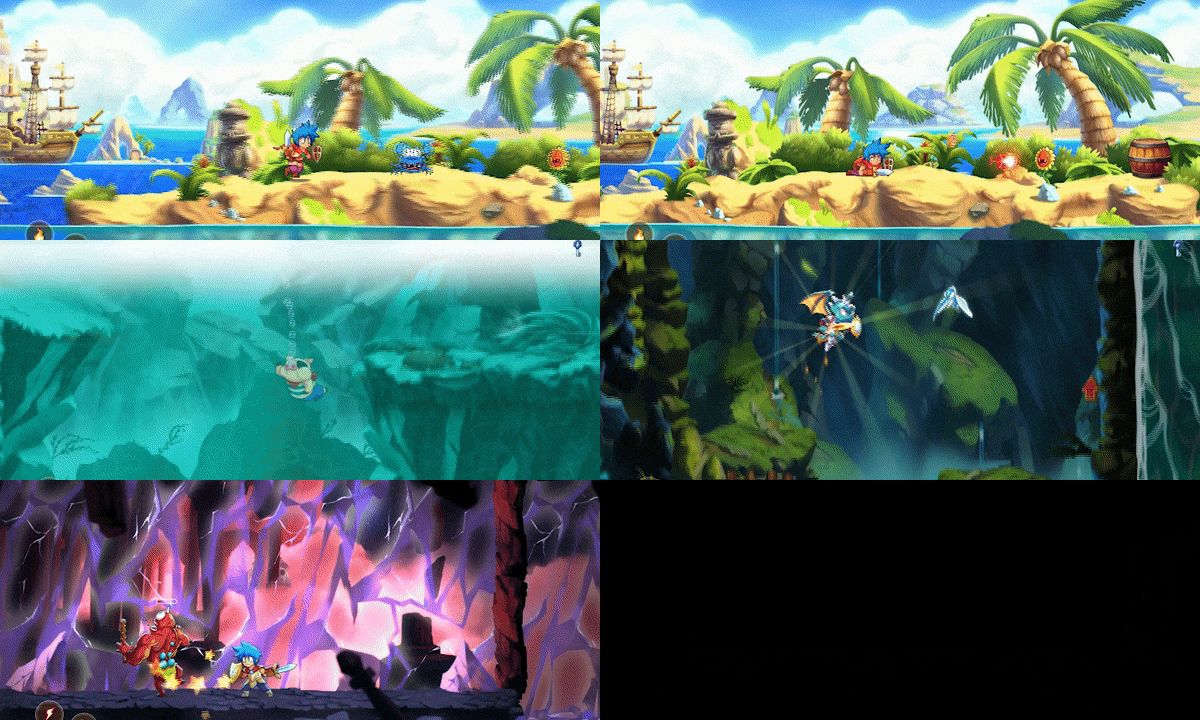
Can Jin save Monster World Kingdom? Help our young hero defeat challenging enemies, discover hidden locations, upgrade powerful equipment, and more! You'll also unlock special forms with unique skills used to open new paths where mighty bosses and secret treasures await.
Feature Overview:
-
Six awesome forms with unique combat and platforming abilities to make your adventure exciting from start to finish.
-
Unlock new paths and secrets with special equipment: look for magic weapons and items that gradually open up the world.
-
Over 15 hours of epic adventure: explore the new Monster World in a vast interconnected environment.
-
Hand Drawn animations: characters and enemies come to life with detailed animations and fun facial expressions.
- Soundtrack from iconic Japanese composers: Yuzo Koshiro, Motoi Sakuraba, Michiru Yamane, Keiki Kobayashi and Takeshi Yanagawa.

Xbox key activation & download guide
Follow these steps if you purchased an Xbox digital key. Use the Microsoft account on which you want to keep and play your purchase.
Have your Xbox code ready
Find the product code supplied with your purchase. Xbox codes contain 25 letters and numbers, usually displayed in five groups. Use the product code, not your order number.
Sign in on your Xbox
Switch on your console, connect to the internet and sign in to your Microsoft account. Double-check the account before continuing: redeemed codes cannot be transferred to another account.
Open code redemption
Open Microsoft Store on your Xbox console and choose the option to Redeem a code.
Enter and confirm your code
Enter the full 25-character code and follow the on-screen prompts. Check the product shown and confirm redemption to add it to your account.
Download and play
Open My games & apps, find the redeemed game in your library and choose Install. Follow the installation prompts, then launch the game when it is ready.
Before you redeem: check the console and edition listed on your purchase. These instructions do not add support for other platforms or a different edition.
Having trouble activating your key? Check that you entered the full code and are signed in to the intended account. If an error remains, contact our support team with your order number and the exact error message. Keep your product key private.
· Publisher: FDG Entertainment
