




Roadwarden (PC/MAC) Steam Download
Runs on Windows
 Runs on Windows
 Runs on MAC
 Runs on Linux
Steam Deck compatibility
Compatibility details are loading.
Reported by Steam. Cached for up to 24 hours.
Play on XBOX 360
Play on Wii U
Play on XBOX ONE
Play on Series X|S
Play on PS3
Play on PS4
HTC Vive Support
Oculus Rift Support
Windows Mixed Reality Support
Steam Deck compatibility
Compatibility details are loading.
Reported by Steam. Cached for up to 24 hours.
Released
Developed by
Published by Assemble Entertainment
Runs on Windows
Runs on MAC
Runs on Linux  Single Player
 Achievements
 Adventure
 RPG
 Download
gamers playing right now

£8.29
Save 79%
Our Price: £1.679 left!

- Description
- Track Listing
- Media
- Reviews
- Trading Cards
- Achievements
- Languages
- System Requirements
- How Do I Download?

YOU ARE THE ROADWARDEN
A brave stranger putting your life on the line to make a difference in this grim fantasy world. While most people would never risk a solitary journey through the wilder parts of the land, you willingly accept the struggle. You guard travellers, connect isolated villages, support merchants, and repel attacking creatures, bandits, or even undead.
TAKE THE PLUNGE
A powerful merchant guild has called on your services, sending you on a journey into the unknown planes of a mysterious peninsula in the hopes to expand the guild’s influence even further. Explore this world and gather as much information as possible to reveal the secrets surrounding the area. It’s a dangerous task, but an equally respectable one.
READY YOUR ARMORY
Roadwarden is an illustrated text-based RPG that uses isometric pixel art and combines mechanics borrowed from RPGs, Visual Novels, adventure games, and interactive fiction, such as inventory puzzles, dialogue choices, character abilities and progression, hit points, simple survival mechanics or quests restricted by in-game time.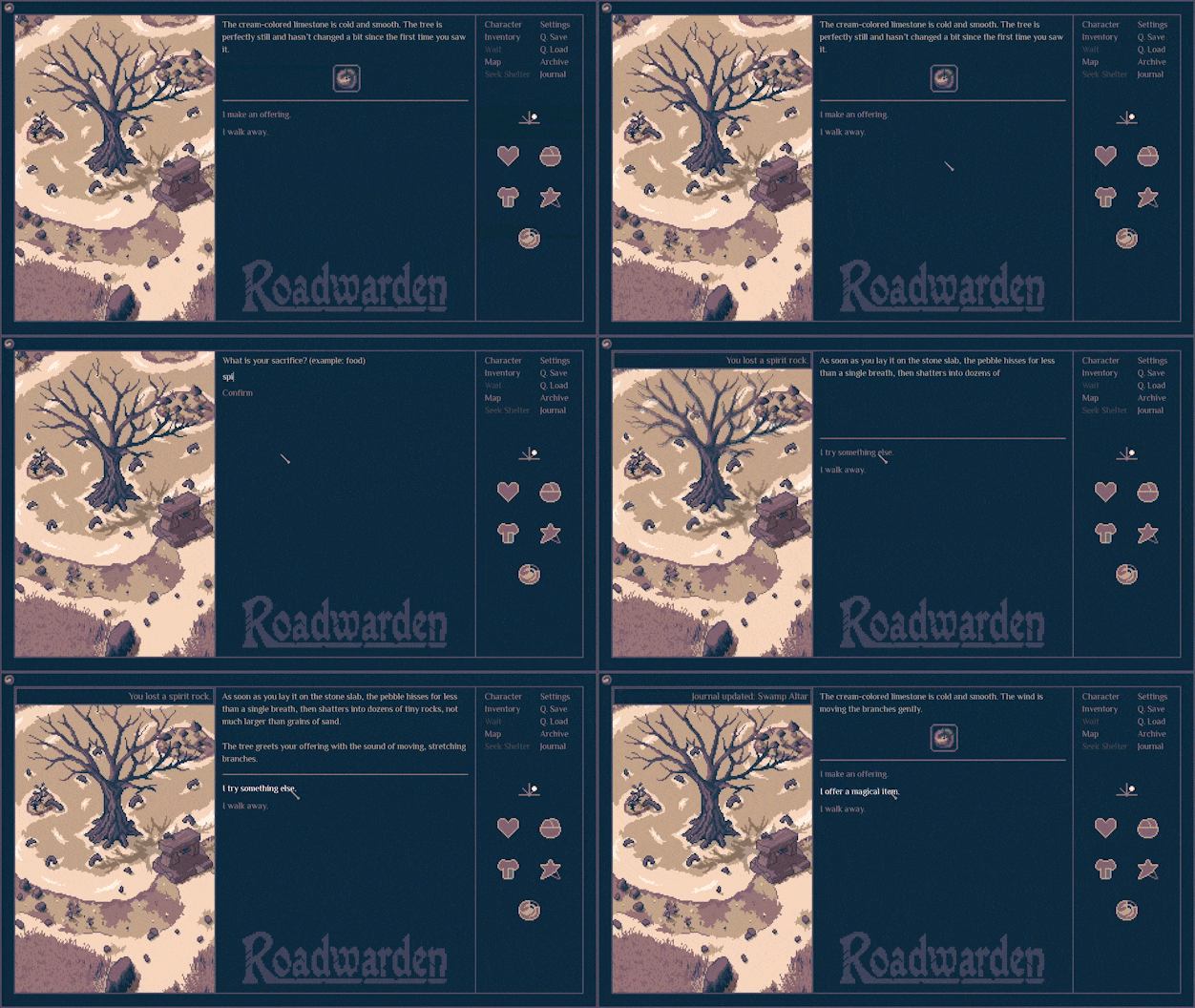
FEATURES
 Face the vast challenges of a hostile fantasy world in the 30-hour story-campaign Create your own background, abilities, beliefs, and personality Embark either as a warrior, mage, or scholar and define your character‘s attitudes Immerse yourself in profound dialogues and sidequests with dozens of NPCs Collect hints and investigate the true nature of this world
Loading player reviews…
| Name | Image |
|---|
This product currently supports the following languages:
Windows
Mac
Linux

Steam key activation & download guide
Follow these steps if you purchased a Steam Key. Steam Gifts use the separate gift-redemption instructions.
Get Steam ready
You will need the Steam desktop client installed on your computer. If it is already installed, simply open it. Otherwise, install Steam before continuing with the activation steps below.
Sign in to your Steam account
Open Steam and sign in, or create an account if you do not have one. Check that you are using the account on which you want to activate your purchase.
Open product activation
In the Steam client, choose + Add a Game at the bottom-left, then Activate a Product on Steam. Follow the on-screen prompts.
Enter your Steam key
Copy the product key supplied with your purchase into the activation field and continue through the confirmation. Use the product key, not your order number.
Download and play
Open your Steam Library, select the activated game and choose Install. Follow the download and installation prompts, then launch the game from your Library.
Having trouble activating your key? Check that you copied the full product key and entered it in Activate a Product on Steam, not the wallet-code field. If you still need help, contact our support team with your order number and the error message shown. Keep your product key private.
· Publisher: Assemble Entertainment
