




Zeno Clash 2 (PC) Steam Download
Runs on Windows
 Runs on Windows
Runs on MAC
Runs on Linux
Steam Deck compatibility
Compatibility details are loading.
Reported by Steam. Cached for up to 24 hours.
Play on XBOX 360
Play on Wii U
Play on XBOX ONE
Play on Series X|S
Play on PS3
Play on PS4
HTC Vive Support
Oculus Rift Support
Windows Mixed Reality Support
Steam Deck compatibility
Compatibility details are loading.
Reported by Steam. Cached for up to 24 hours.
Released
Developed by
Published by SEGA
Runs on Windows  Single Player
 Multi-Player
 Co-Op
 Controller Support
 Achievements
 Steam Trading Cards
 Cloud Saves
 Steam Leaderboards
 Action
 Adventure
 Fighting
 Download
 This rating is applied once the depiction of violence (or sexual activity) reaches a stage that looks the same as would be expected in real life. The use of bad language in games with a PEGI 16 rating can be more extreme, while games of chance, and the use of tobacco, alcohol or illegal drugs can also be present.
gamers playing right now

£10.99
Save 54%
Our Price: £4.99
- Description
- Track Listing
- Media
- Reviews
- Trading Cards
- Achievements
- Languages
- System Requirements
- How Do I Download?

Zeno Clash 2 welcomes new players to the Zeno Clash universe with a new game that will bring them into the universe and fill them in on the backstory. Returning players will delight in the connections between the new settings and the first adventure. All players will thoroughly enjoy playing a first-person brawler that provides a rarity in modern gaming: a truly unique experience.
Zeno Clash 2 has beefed up its combat engine with precision punch targeting, blocking, and high-impact hits that only make the bone-crunching, face-rattling fistcuffs more satisfying. The new "Lock-on" function gives players a wider range of control for dishing out the damage. New RPG mechanics will allow Ghat and Rimat to punch harder, defend better, and recruit more powerful allies to aid in their quest. Zeno Clash 2 now harnesses the full power of the Unreal III engine to bring the bizarre and beautiful world of Zenozoik to life. ACE Team's boundless imagination brings gamers into a universe of surreal foes, fantastic locations, and truly unique visuals that is unlike anything else you will ever play. With the newly added drop-in/drop-out co-op play, Zeno Clash 2 invites you AND a friend to dive once more into the fray!
Just Updated
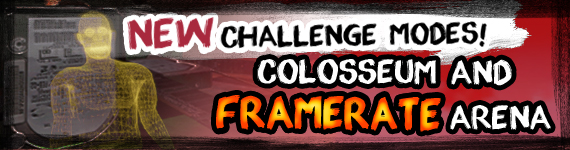
Frame-rate Challenge Mode:
Sometimes the internet leaks into games, and even Zeno Clash 2 can’t escape. In this unique challenge, surreal wireframe enemies begin spawning with increasing frequency. The enemies still require skill to beat, but the waves are only limited by one thing: the PC’s performance. Eking every last ounce of computational horsepower will be the key to surviving as long as possible in this highly unusual challenge.
Coliseum Challenge Mode:
This wave-based attack mode will push players to the limit. 50 waves of enemies will spawn, with increasing difficulty. True mastery of Zeno Clash 2’s first-person combat system of deadly combos will lead brawlers to victory, but there is some respite between rounds as players will have access to the store to buy weapons, power-ups, even allies. Unlike the game, there’s no restriction on the number of allies either, so get ready for the most intense, all-out, battle royale in all of Zenozoik.
System Requirements
- OS: Windows XP, Vista, 7
- Processor: Intel Core 2 Duo 2.4 GHz or AMD Athlon X2 4800+
- Memory: 2GB RAM
- Hard Disk Space: 4 GB free hard drive space
- Video Card: ATI 3850HD 512 MB or NVIDIA GeForce 8800 GT 512MB
- DirectX®: 9.0c
- OS: Windows XP, Vista, 7
- Processor: Intel Core i5
- Memory: 4GB RAM
- Hard Disk Space: 4 GB free hard drive space
- Video Card: NVIDIA GeForce GTX 280
- DirectX®: 9.0c
Loading player reviews…
| Name | Image |
|---|
This product currently supports the following languages:
Windows

Steam key activation & download guide
Follow these steps if you purchased a Steam Key. Steam Gifts use the separate gift-redemption instructions.
Get Steam ready
You will need the Steam desktop client installed on your computer. If it is already installed, simply open it. Otherwise, install Steam before continuing with the activation steps below.
Sign in to your Steam account
Open Steam and sign in, or create an account if you do not have one. Check that you are using the account on which you want to activate your purchase.
Open product activation
In the Steam client, choose + Add a Game at the bottom-left, then Activate a Product on Steam. Follow the on-screen prompts.
Enter your Steam key
Copy the product key supplied with your purchase into the activation field and continue through the confirmation. Use the product key, not your order number.
Download and play
Open your Steam Library, select the activated game and choose Install. Follow the download and installation prompts, then launch the game from your Library.
Having trouble activating your key? Check that you copied the full product key and entered it in Activate a Product on Steam, not the wallet-code field. If you still need help, contact our support team with your order number and the error message shown. Keep your product key private.
· Publisher: SEGA