




Tower Wars (PC/MAC) Steam Download
Runs on Windows
 Runs on Windows
 Runs on MAC
Runs on Linux
Steam Deck compatibility
Compatibility details are loading.
Reported by Steam. Cached for up to 24 hours.
Play on XBOX 360
Play on Wii U
Play on XBOX ONE
Play on Series X|S
Play on PS3
Play on PS4
HTC Vive Support
Oculus Rift Support
Windows Mixed Reality Support
Steam Deck compatibility
Compatibility details are loading.
Reported by Steam. Cached for up to 24 hours.
Released
Developed by
Published by SuperVillain Studios
Runs on Windows
Runs on MAC  Single Player
 Multi-Player
Cross-Platform Multiplayer
 Co-Op
 Achievements
 Steam Trading Cards
 Steam Workshop
 Cloud Saves
 Stats
 Valve Anti-Cheat Enabled
 Steam Leaderboards
 Action
 Strategy
 Download
gamers playing right now

£5.59
Save 46%
Our Price: £2.99

- Description
- Track Listing
- Media
- Reviews
- Trading Cards
- Achievements
- Languages
- System Requirements
- How Do I Download?
Tower Wars is a new and unique spin on the competitive multi-player tower defense genre! The game combines elements of tower defense, real-time strategy, and all-out multi-player mayhem to bring you a completely unique experience, delivered with a fun and funny not-so-old world style!
Key Features
- Play Tower Wars online in 1v1, 2v2 and 3v3 ranked or unranked matches!
- Build and upgrade unique towers, creating lengthy mazes to punish incoming enemy units!
- Upgrade, assemble, and unleash multitudes of specialized units in massive attack waves!
- Unlock and upgrade technologies to bolster the stats and functions of your units and towers!
- Compete in the online leaderboards!
- Steam! Features include achievements, leaderboards, matchmaking, and stat tracking!
- Need a break? Play one of our offline classic tower defense maps for a quick Time Trial diversion!
- Get on board! Help us bring you MUCH MORE! The future looks bright for Tower Wars!
Just Updated
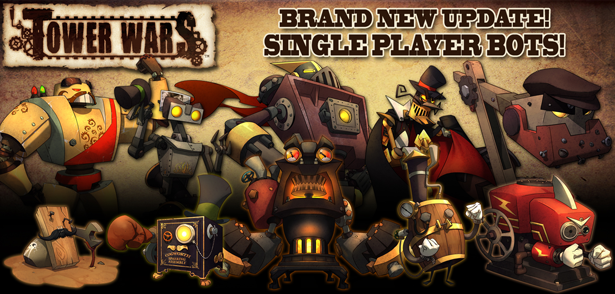
THEY'RE HERE! Our BRAND NEW SINGLE PLAYER Mode is LIVE!
Face off against a collection of the finest artificially intelligent opponents ever assembled...to play this game in particular! If you or a friend have been waiting for more Single Player features, now is definitely the time to get in on Tower Wars!
- All-NEW Single Player mode added! Challenge 10 unique AI bots with various skills and tactics!
- New Steam Achievements for playing against and defeating the new AI bots!
Previously Updated
Introducing the all new co-op mode!
High above the clouds, there drifts a sad, derelict remnant of a once lively little drifter town... it was ruthlessly attacked by pirates intent on sacking the plump little plum in the sky, but in their greed they sank their own ship under the weight of the first load of plunder! A tempest wind soon thereafter arrived, driving the now un-manned island town far from where it had laid anchor for trade. The inhabitants had hastily fled during the pirate attack, but in so doing left all of their goods, munitions, and rum.... LOTS OF RUM. During one of his many pleasure cruises in his glorious, kingly dirigible, the KING happened to stumble across the abandoned stockpile. He immediately seized the derelict under his sovereign authority, claiming the rum (and other less important supplies) for his own reserves. BUT!! Providentially, the surviving pirates of the pillaging snafu had regrouped and showed up just shortly after the KING set up base, and thus found their long-lost gem in the hands of a belligerent, crown-waving buffoon. Having tasted some of the finest rum of the barrels his fat arse now reclined upon, their course of action was clear... This meant WAR!”
Key Features
- Join up with your friends to protect the rum in the new 1-3 player co-op map, Royal Rum-Bowl!
- Adjust and rebuild your maze after enemy pirates bomb, smash and utterly destroy your towers with randomized enemies and events!
- Compete in 3 new leaderboards for solo, duo and trio scores!
- Enjoy other goodies like a new environment, achievements and music!
- Featuring the new and improved steel plate hex, state-of-the-art craftsmanship of the KING’s own forges! Unfortunately, it has virtually no affect on towers built upon them... it simply has the appearance of being tougher.
An all new editor makes it easy to create new battle maps, characters, and mods. Steam Workshop makes it easy to share those creations and for others to find, download, and play them. Check out the Tower Wars Workshop to get started.
System Requirements
PC
- OS: Windows® XP SP3/ Windows® Vista SP2/ Windows® 7
- Processor: Dual Core processor with 2.0GHz or greater (Intel Core 2 Duo or AMD Athlon 64 X2)
- Memory: 2 GB RAM
- Hard Disk Space: 1.5 GB
- Video Card: Video Card with 512MB dedicated memory and DX9.0c support (Shader Model 3+) *Video cards with shared memory technology are not supported.
- DirectX®: DirectX® version 9.0c
- Sound: Windows compatible sound device
- Additional: Tower Wars online ranked and unranked multiplayer matches require a broadband internet connection.
Mac
- OS: Snow Leopard (10.6.X)
- Processor: Intel Core Duo Processor (2 GHz or better)
- Memory: 2 GB RAM
- Hard Disk Space: 1.6 GB
- Video Card: ATI Radeon 2400/NVIDIA GeForce 8600
- Additional: Broadband Internet Connection
Loading player reviews…
| Name | Image |
|---|
This product currently supports the following languages:
Windows
Mac

Steam key activation & download guide
Follow these steps if you purchased a Steam Key. Steam Gifts use the separate gift-redemption instructions.
Get Steam ready
You will need the Steam desktop client installed on your computer. If it is already installed, simply open it. Otherwise, install Steam before continuing with the activation steps below.
Sign in to your Steam account
Open Steam and sign in, or create an account if you do not have one. Check that you are using the account on which you want to activate your purchase.
Open product activation
In the Steam client, choose + Add a Game at the bottom-left, then Activate a Product on Steam. Follow the on-screen prompts.
Enter your Steam key
Copy the product key supplied with your purchase into the activation field and continue through the confirmation. Use the product key, not your order number.
Download and play
Open your Steam Library, select the activated game and choose Install. Follow the download and installation prompts, then launch the game from your Library.
Having trouble activating your key? Check that you copied the full product key and entered it in Activate a Product on Steam, not the wallet-code field. If you still need help, contact our support team with your order number and the error message shown. Keep your product key private.
· Publisher: SuperVillain Studios