




Coromon (PC/MAC) Steam Download
Runs on Windows
 Runs on Windows
 Runs on MAC
Runs on Linux
Steam Deck compatibility
Compatibility details are loading.
Reported by Steam. Cached for up to 24 hours.
Play on XBOX 360
Play on Wii U
Play on XBOX ONE
Play on Series X|S
Play on PS3
Play on PS4
HTC Vive Support
Oculus Rift Support
Windows Mixed Reality Support
Steam Deck compatibility
Compatibility details are loading.
Reported by Steam. Cached for up to 24 hours.
Released
Developed by
Published by indie.io
Runs on Windows
Runs on MAC  Single Player
 Multi-Player
Cross-Platform Multiplayer
 Controller Support
 Achievements
 Steam Trading Cards
 Adventure
 Retro
 RPG
 Strategy
 Download
gamers playing right now

£15.49
Save 79%
Our Price: £3.171 left!

- Description
- Track Listing
- Media
- Reviews
- Trading Cards
- Achievements
- Languages
- System Requirements
- How Do I Download?

The sun begins to dawn on Velua, a new day for the world and a new day for you, a freshly minted Battle Researcher of the global research society known as Lux Solis. It’s your first day and everything goes smoothly until a mysterious force attacks your latest workplace. Build up a squad of Coromon, track down the invaders, and grapple with a rising threat that endangers everyone on Velua!
True to our commitment to let you play how you want, the latest update brings color customization for Coromon, fruit-to-cake conversion using the brand new Lux Kitchen, and new Cake recipes to make!

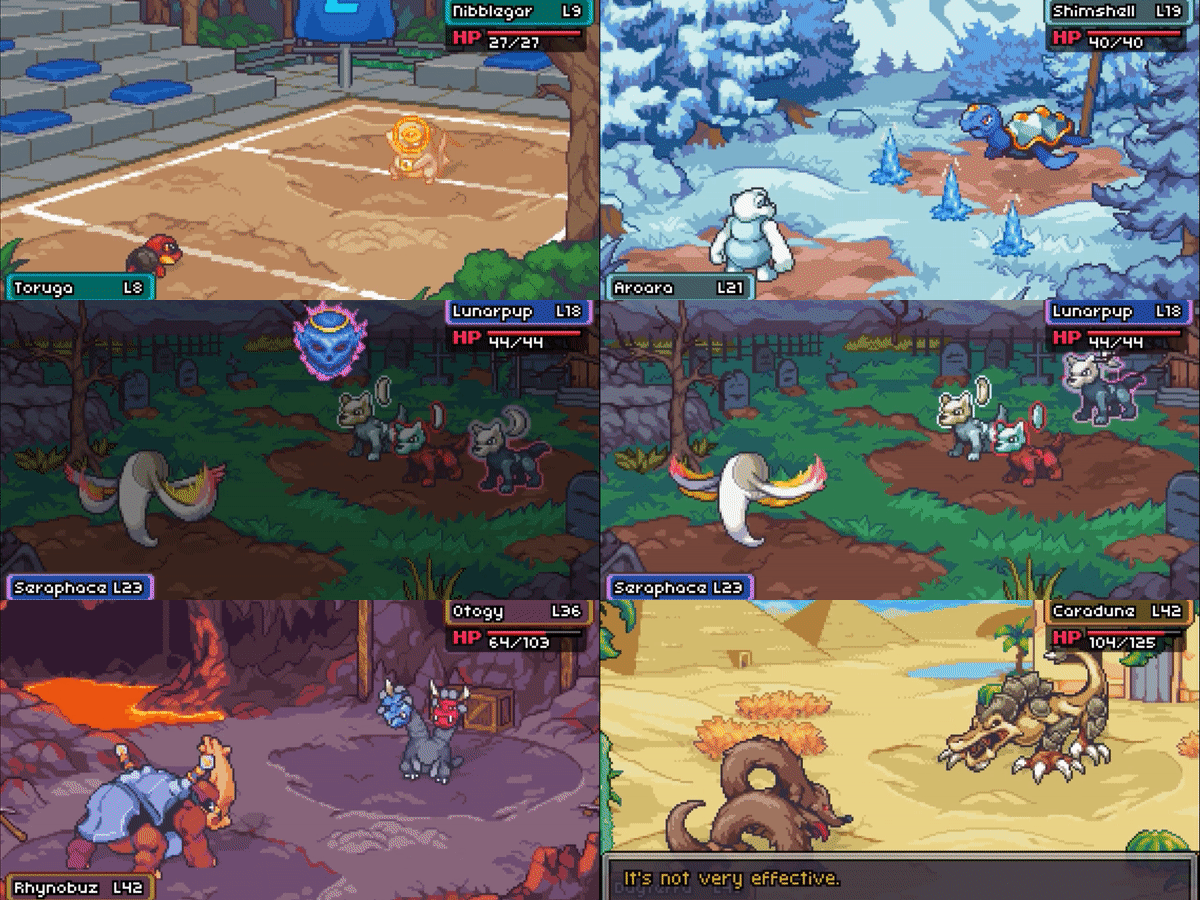
Coromon is all about taming the eponymous wildlife and challenging the rest of the world: other wildlife, trainers, or titanic bosses!
-
Build a team from more than 100 charming creatures, defined by their elements, traits, and skills. Catch, train then set them loose on your rivals!
-
Master a stamina-based battle system where every action costs energy, so choose skills and attacks carefully. Deal damage, sap enemy stamina with status effects, or nullify them through dozens of conditions to emerge victorious.
-
Challenge friends online and see whose Coromon squads are the best of the best.


The first day at Lux Solis is just the first step in a much greater adventure. Soon you’ll be thrust into a story grand in scope and great of importance, as a mysterious, alien threat emerges. It’s up to you to help Lux Solis put a stop to their dastardly designs.
-
Pursue the antagonists’ trail across six major zones and cities, with dozens of interconnecting routes to explore. Each one brimming with quests, secrets, and items to find.
-
Explore the furthest reaches of Velua, from frozen glacial caverns to the depths of blistering deserts.
-
Play a key role throughout a fully-fledged classic JRPG narrative, complete with plot twists, turns, and revelations that not all is as it seems...

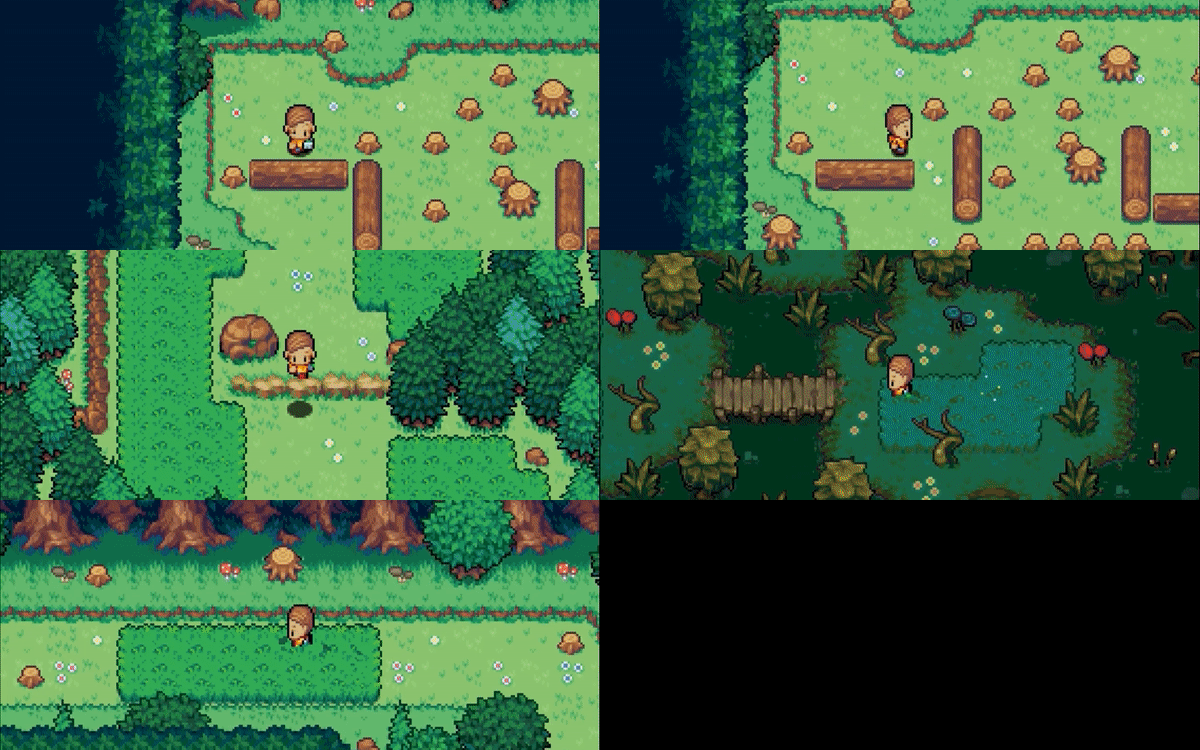
Coromon empowers you to create an experience just the way you want.
-
Difficulty is more than just stat changes. Each option changes the fundamental mechanics, making the game as challenging as you want.
-
Want a stress-free, chill playthrough? Immerse yourself in the story on the easiest setting without hassle, or focus on tactics, number-crunching, and resource management.
-
Want a more high-stakes challenge? Use the built-in Randomizer and Nuzlocke modes to put fan favorite twists on the creature catching experience.
-
Create the trainer you want, using hundreds of customizable elements like hair, fashion, and more.
-
Customize the look of your Coromon! Prefer a Potent’s color to a Perfect’s? Just set the right element.

We're honored to be able to provide Coromon to you, a game we've poured our heart into. Coromon is our tribute to the classics of this RPG sub-genre. While staying loyal to the core gameplay, we wanted to add new features but also keep the iconic retro look, with a modernized pixel art style.
Thank you for checking out Coromon. We hope you will enjoy the game as much as we enjoyed creating it! -
Loading player reviews…
| Name | Image |
|---|
This product currently supports the following languages:
Windows
Mac

Steam key activation & download guide
Follow these steps if you purchased a Steam Key. Steam Gifts use the separate gift-redemption instructions.
Get Steam ready
You will need the Steam desktop client installed on your computer. If it is already installed, simply open it. Otherwise, install Steam before continuing with the activation steps below.
Sign in to your Steam account
Open Steam and sign in, or create an account if you do not have one. Check that you are using the account on which you want to activate your purchase.
Open product activation
In the Steam client, choose + Add a Game at the bottom-left, then Activate a Product on Steam. Follow the on-screen prompts.
Enter your Steam key
Copy the product key supplied with your purchase into the activation field and continue through the confirmation. Use the product key, not your order number.
Download and play
Open your Steam Library, select the activated game and choose Install. Follow the download and installation prompts, then launch the game from your Library.
Having trouble activating your key? Check that you copied the full product key and entered it in Activate a Product on Steam, not the wallet-code field. If you still need help, contact our support team with your order number and the error message shown. Keep your product key private.
· Publisher: indie.io
