




Deathloop (PC) Steam Download
Runs on Windows
 Runs on Windows
Runs on MAC
Runs on Linux
Steam Deck compatibility
Compatibility details are loading.
Reported by Steam. Cached for up to 24 hours.
Play on XBOX 360
Play on Wii U
Play on XBOX ONE
Play on Series X|S
Play on PS3
Play on PS4
HTC Vive Support
Oculus Rift Support
Windows Mixed Reality Support
Steam Deck compatibility
Compatibility details are loading.
Reported by Steam. Cached for up to 24 hours.
Released
Developed by
Published by Bethesda Softworks
Runs on Windows  Single Player
 Multi-Player
 Controller Support
 Achievements
 Steam Trading Cards
 Cloud Saves
 Action
 Adventure
 Shooter
 Download
 The adult classification is applied when the level of violence reaches a stage where it becomes a depiction of gross violence, apparently motiveless killing, or violence towards defenceless characters. The glamorisation of the use of illegal drugs and explicit sexual activity should also fall into this age category.
gamers playing right now

£49.99
Save 72%
Our Price: £13.99
- Description
- Track Listing
- Media
- Reviews
- Trading Cards
- Achievements
- Languages
- System Requirements
- How Do I Download?

DEATHLOOP is a next-gen first person shooter from Arkane Lyon, the award-winning studio behind Dishonored. In DEATHLOOP, two rival assassins are trapped in a mysterious timeloop on the island of Blackreef, doomed to repeat the same day for eternity. As Colt, the only chance for escape is to end the cycle by assassinating eight key targets before the day resets. Learn from each cycle - try new paths, gather intel, and find new weapons and abilities. Do whatever it takes to break the loop.
If At First You Don’t Succeed... Die, Die Again
Every new loop is an opportunity to change things up. Use the knowledge you gain from each attempt to change up your playstyle, stealthily sneaking through levels or barreling into the fight, guns-blazing. In each loop you’ll discover new secrets, gather intel on your targets as well as the island of Blackreef, and expand your arsenal. Armed with a host of otherworldly abilities and savage weaponry, you’ll utilize every tool at your command to execute takedowns that are as striking as they are devastating. Customize your loadout wisely to survive this deadly game of hunter vs hunted.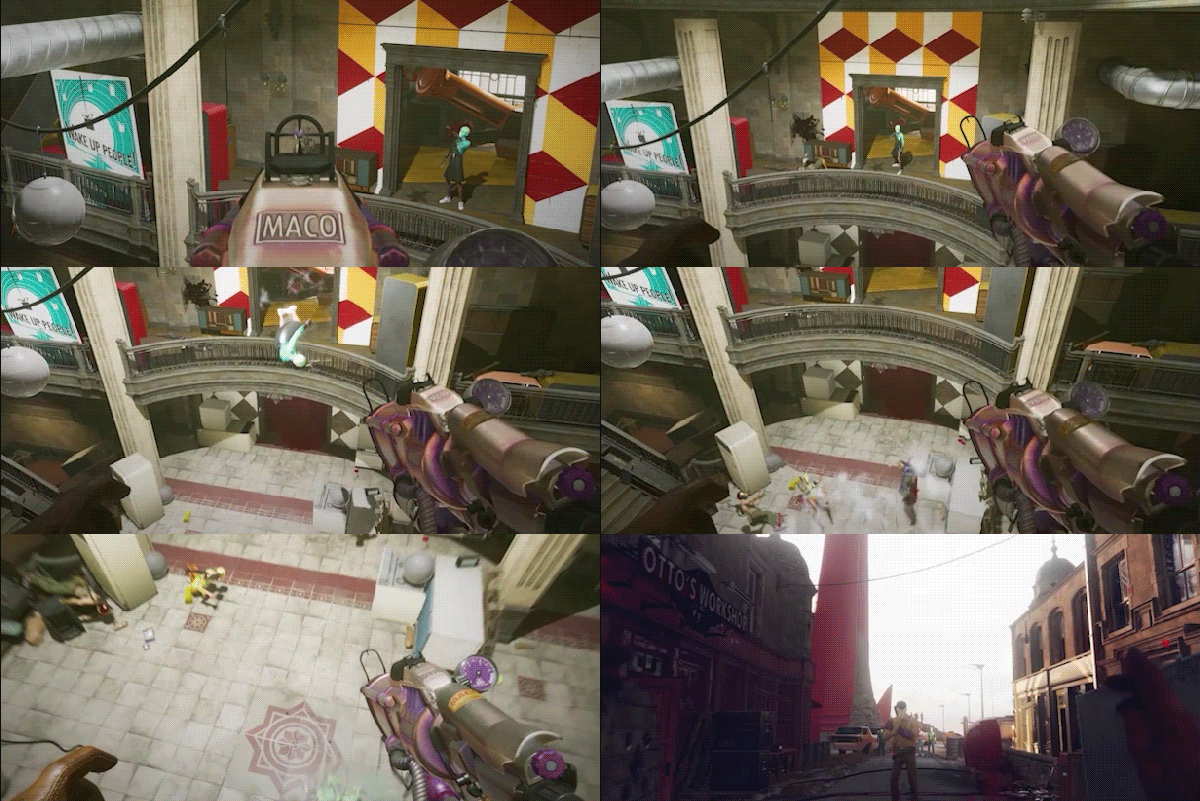
SINGLE PLAYER GAMEPLAY INJECTED WITH DEADLY MULTIPLAYER
Are you the hero or the villain? You’ll experience DEATHLOOP’s main story as Colt, hunting down targets across the island of Blackreef to break the loop and earn your freedom. All the while, you’ll be hunted by your rival Julianna, who can be controlled by another player. So if you’re feeling devious, you, too, can step into Julianna’s stylish sneakers and invade another player’s campaign to kill Colt. The multiplayer experience is completely optional, and players can choose to have Julianna controlled by AI within their campaign.
The island Of Blackreef – Paradise Or Prison
Arkane is renowned for magnificently artistic worlds with multiple pathways and emergent gameplay. DEATHLOOP will present a stunning, retro-future, 60s-inspired environment, that feels like a character within itself. While Blackreef may be a stylish wonderland, for Colt it is his prison, a world ruled by decadence where death has no meaning, and delinquents party forever while keeping him captive.
Loading player reviews…
| Name | Image |
|---|
This product currently supports the following languages:
Windows

Steam key activation & download guide
Follow these steps if you purchased a Steam Key. Steam Gifts use the separate gift-redemption instructions.
Get Steam ready
You will need the Steam desktop client installed on your computer. If it is already installed, simply open it. Otherwise, install Steam before continuing with the activation steps below.
Sign in to your Steam account
Open Steam and sign in, or create an account if you do not have one. Check that you are using the account on which you want to activate your purchase.
Open product activation
In the Steam client, choose + Add a Game at the bottom-left, then Activate a Product on Steam. Follow the on-screen prompts.
Enter your Steam key
Copy the product key supplied with your purchase into the activation field and continue through the confirmation. Use the product key, not your order number.
Download and play
Open your Steam Library, select the activated game and choose Install. Follow the download and installation prompts, then launch the game from your Library.
Having trouble activating your key? Check that you copied the full product key and entered it in Activate a Product on Steam, not the wallet-code field. If you still need help, contact our support team with your order number and the error message shown. Keep your product key private.
· Publisher: Bethesda Softworks