




Lion Quest (PC/MAC/LINUX) Steam Download
Runs on Windows
 Runs on Windows
 Runs on MAC
 Runs on Linux
Steam Deck compatibility
Compatibility details are loading.
Reported by Steam. Cached for up to 24 hours.
Play on XBOX 360
Play on Wii U
Play on XBOX ONE
Play on Series X|S
Play on PS3
Play on PS4
HTC Vive Support
Oculus Rift Support
Windows Mixed Reality Support
Steam Deck compatibility
Compatibility details are loading.
Reported by Steam. Cached for up to 24 hours.
Released
Developed by
Published by Dracula's Cave
Runs on Windows
Runs on MAC
Runs on Linux  Single Player
 Multi-Player
 Co-Op
 Controller Support
 Achievements
 Steam Trading Cards
 Cloud Saves
 Action
 Adventure
 Platformer
 Includes Manual
 Download
gamers playing right now

£4.99
Save 69%
Our Price: £1.524 left!

- Description
- Track Listing
- Media
- Reviews
- Trading Cards
- Achievements
- Languages
- System Requirements
- How Do I Download?

Take Jethro the Lion on a magical journey, traversing space and time to prevent the imminent collapse of the universe. Oh and your friend Ronald the Bear is missing, maybe you can find him whilst you’re out exploring?
Discover a huge world and enjoy an adventure that blends together retro platforming fun with a mix of 2D + 3D mechanics and a modern design aesthetic.
Lion Quest includes the following cool features
- A 3D world navigated in 2D – Interact with the environment in new and unexpected ways, with huge collapsing structures adding an additional dimension to navigational puzzles.
- Zen and the Art of Mind Control – Use the power of your mind to control falling objects, or stop them dead in their tracks to create pathways and access new areas.

- New friends to discover – Solve puzzles and make friends as you meet other animals, controlling several at a time to progress through levels.
- Nine animals to play as – Unlock new characters by completing goals or spending coins (collected in-game) at the Lion Quest gift shop. Each character has its own stats and special abilities, which can dramatically change the way the game is played.
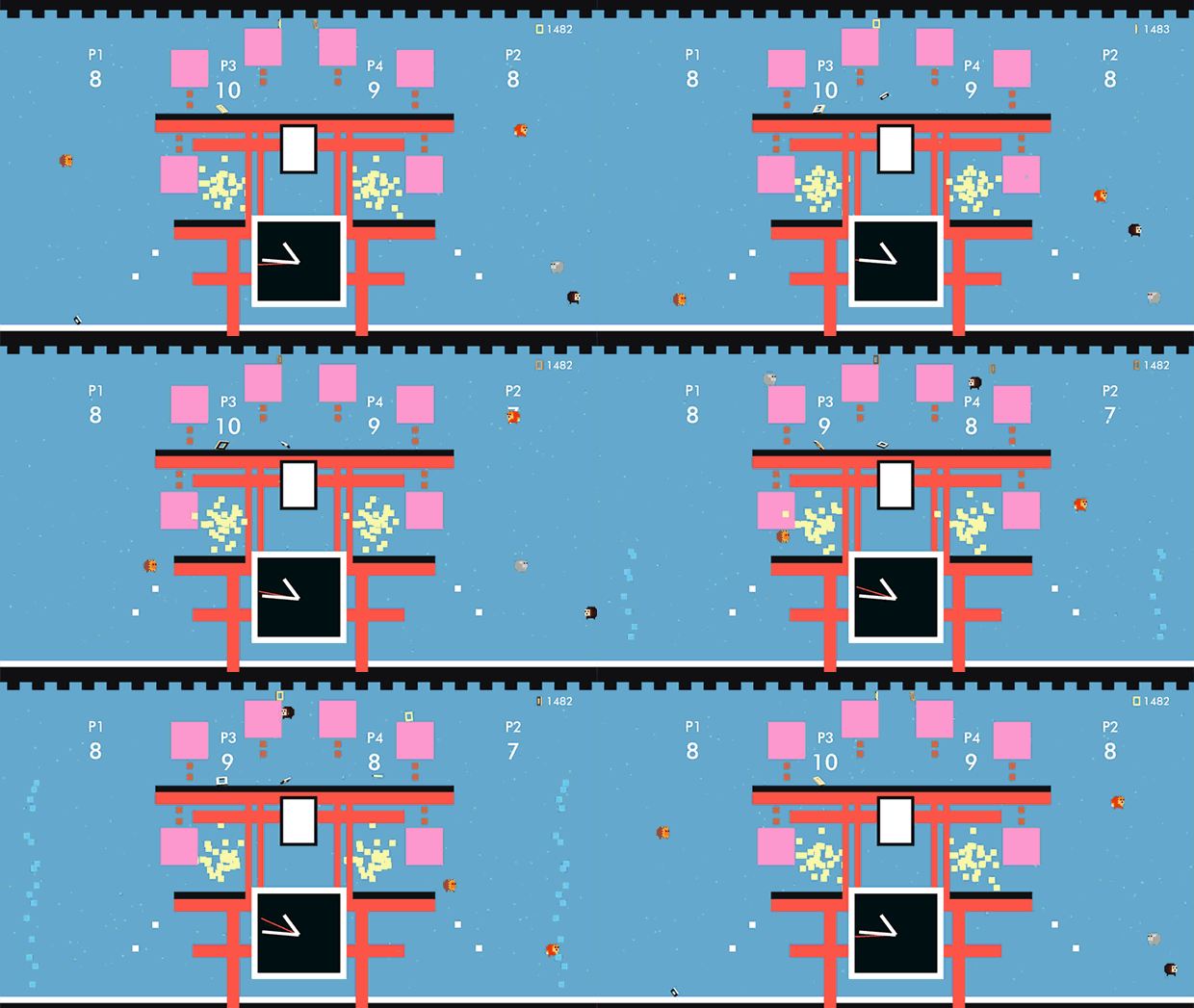
- Play with or against friends in local multiplayer – Take on the Lion Quest adventure with a friend in 2 player co-op, or play competitively with up to four players across fifteen maps in Lion Quest VS.
- Pure platforming – Enjoy exploring with precise controls, plenty of challenge, and handcrafted levels with branching paths.

- Lion Quest Arcade – Play through 50 arcade stages that combine all-new levels with remixed content from the main game.
- Hypnotic Soundtrack – Over 2 hours of original music by the band Falcon Ave.
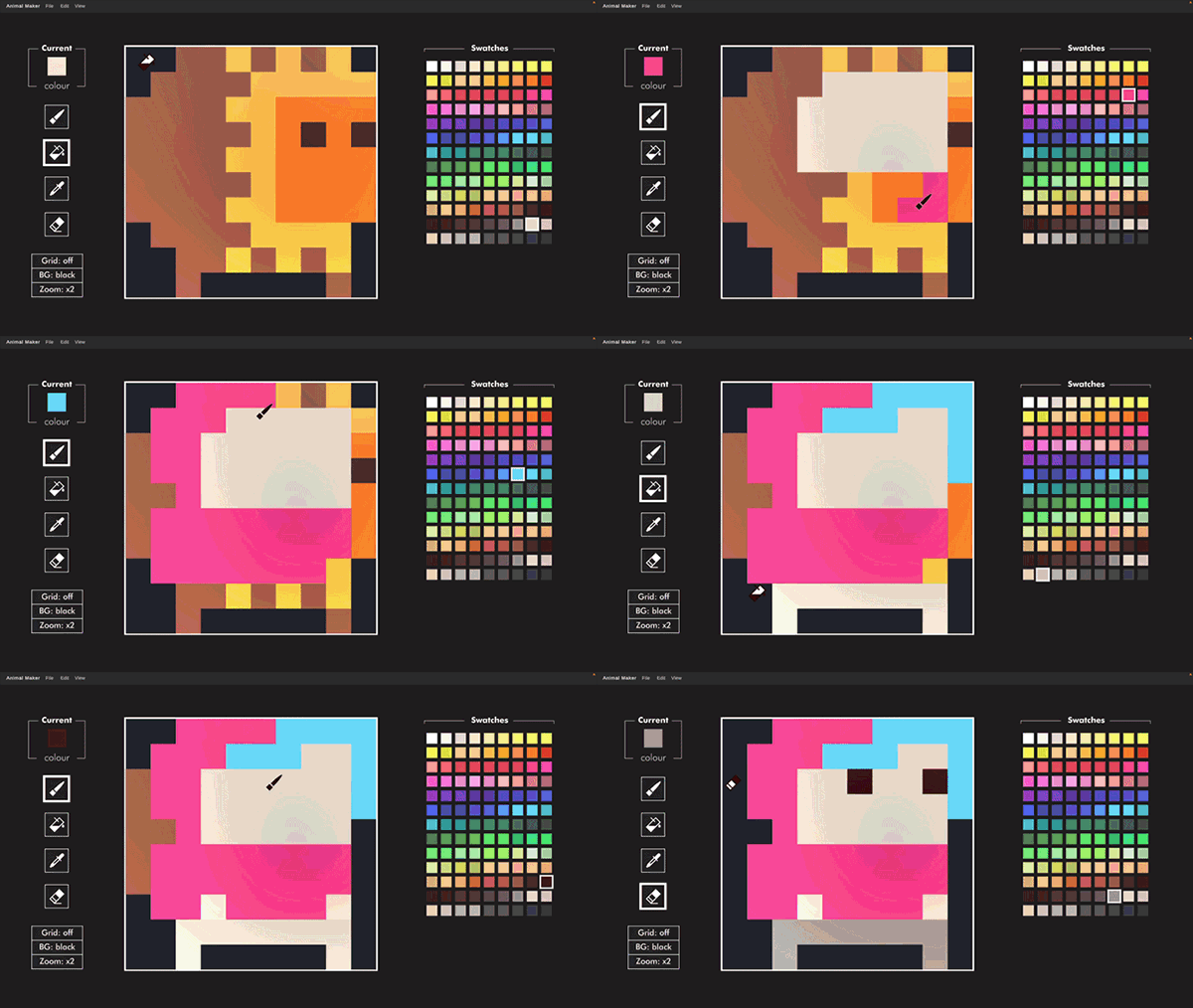
- Animal Maker – Put down your copy of Microsoft Paint! Since the 1.6.0 update, Lion Quest now includes the best character creator money can buy.
Loading player reviews…
| Name | Image |
|---|
This product currently supports the following languages:
Windows
Mac
Linux

Steam key activation & download guide
Follow these steps if you purchased a Steam Key. Steam Gifts use the separate gift-redemption instructions.
Get Steam ready
You will need the Steam desktop client installed on your computer. If it is already installed, simply open it. Otherwise, install Steam before continuing with the activation steps below.
Sign in to your Steam account
Open Steam and sign in, or create an account if you do not have one. Check that you are using the account on which you want to activate your purchase.
Open product activation
In the Steam client, choose + Add a Game at the bottom-left, then Activate a Product on Steam. Follow the on-screen prompts.
Enter your Steam key
Copy the product key supplied with your purchase into the activation field and continue through the confirmation. Use the product key, not your order number.
Download and play
Open your Steam Library, select the activated game and choose Install. Follow the download and installation prompts, then launch the game from your Library.
Having trouble activating your key? Check that you copied the full product key and entered it in Activate a Product on Steam, not the wallet-code field. If you still need help, contact our support team with your order number and the error message shown. Keep your product key private.
· Publisher: Dracula's Cave
