




Lords of Xulima (PC/MAC/LINUX) Steam Download
Runs on Windows
 Runs on Windows
 Runs on MAC
 Runs on Linux
Steam Deck compatibility
Compatibility details are loading.
Reported by Steam. Cached for up to 24 hours.
Play on XBOX 360
Play on Wii U
Play on XBOX ONE
Play on Series X|S
Play on PS3
Play on PS4
HTC Vive Support
Oculus Rift Support
Windows Mixed Reality Support
Steam Deck compatibility
Compatibility details are loading.
Reported by Steam. Cached for up to 24 hours.
Released
Developed by
Published by Numantian Games
Runs on Windows
Runs on MAC
Runs on Linux  Single Player
 Achievements
 Steam Trading Cards
 Steam Workshop
 Cloud Saves
 Stats
 Steam Leaderboards
 Adventure
 RPG
 Strategy
 Download
gamers playing right now

£17.75
Save 43%
Our Price: £9.99

- Description
- Track Listing
- Media
- Reviews
- Trading Cards
- Achievements
- Languages
- System Requirements
- How Do I Download?

Lords of Xulima is an original Fantasy RPG set on the mythical continent of Xulima, where Gods and humans once walked side by side. Become the Herald of the Gods and travel to an uncharted land to fulfill your mission of restoring balance in the known world.
Features
More than 100 hours of authentic Role-Playing Experience
Looking for a challenging adventure?
In Lords of Xulima, we do not hold your hand through the journey. We have created a world of diverse regions that are as vibrant with life as they are fraught with danger; from the alluring Golden Woods, through the Great Desert of Pernitia, to the daunting icy peaks of Karraga. You are free to explore and choose which path to follow, but be careful about where the adventure takes you. Your success or failure in Lords of Xulima all depends on your strategies and ability lead your customized party. Immerse yourself in the playability and depth of old school classics, presented through modern visuals and a user-friendly interface.
A Tale of Gods and Humans
Discover one of the most epic stories ever written and follow it to its twisted conclusion
Legend has it that many years ago, people lived in peace on the great continent of Rodinia; a peace that would not last. Soon, the Great War broke out, dragging every kingdom and village down an endless spiral of ruin and desolation. The people prayed for salvation from the Nine Gods, whose unreachable homeland lay beyond the Great Sea, on the forbidden continent of Xulima.
Eventually, the conflict came to a point where it threatened to ruin all creation. Thus Golot, Lord of Works and Dreams, appeared to Gaulen, a seasoned Explorer who lived on a remote island off the coast of Rodinia. The Lord of Works appointed Gaulen to be his Herald on Earth and to set sail for Xulima, so that balance could be restored to the world. Thus begins the adventure of our young protagonist. 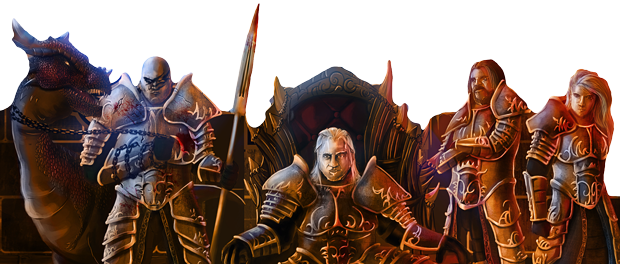
Create your group of characters
Create and customize five characters to accompany Gaulen on your journey. With 9 character classes and over 100 useful skills, the possibilities are endless. Each group will be unique. Who will you decide to take with you? Choose among familiar classes such as the Mage, Cleric, Barbarian, Soldier, Thief, Bard and Paladin or try out the Arcane Soldier and Divine Summoner. Develop your characters’ abilities to suit your play style as they gain experience and grow stronger to face the trials ahead. 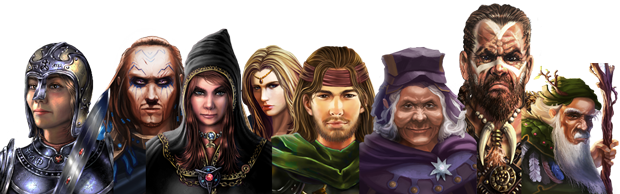
Strategic, fluid, turn-based combat
Discover an addictive combat system. Over 100 unique types of enemies roam the wilds of Xulima , each capable of posing their own kinds of threats to your divine mission. There are thousands of possible strategies to lead the group to victory, including the use of scrolls and divine blessings. Will you be able to match the strength of Nilfonte, the Ocean Titan? Or survive an encounter with Xabraluz, the Demon King of Vilak? 
System Requirements
Windows
- OS: Windows XP
- Processor: Dual Core 2Ghz
- Memory: 2 GB RAM
- Graphics: ATI Radeon HD 4650 / NVIDIA GeForce GT 240 / Intel HD 3000 Graphics, or equivalent
- DirectX: Version 9.0c
- Storage: 1500 MB available space
- Additional Notes: Screen resolution: 1280 x 720.
- OS: Windows 7 64 bits
- Processor: Quad Core 2.66 Ghz
- Memory: 4 GB RAM
- Graphics: AMD Radeon 5870, NVIDIA GTX 260
- DirectX: Version 9.0c
- Storage: 1500 MB available space
- Additional Notes: Screen resolution: 1920 x 1080.
Mac OS X
- OS: Mac OS X 10.6 Snow Leopard
- Processor: Dual Core 2Ghz
- Memory: 2 GB RAM
- Graphics: AMD Radeon 4670, NVIDIA GT 240, Intel HD4000
- Storage: 2 GB available space
- Additional Notes: The first time you start the game can take one or two minutes due to pre-processing that the game needs to do.
- OS: Mac OS X 10.8 Mountain Lyon
- Processor: Quad Core 3Ghz
- Memory: 4 GB RAM
- Graphics: AMD Radeon 5870, NVIDIA GTX 260
- Storage: 2 GB available space
- Additional Notes: The first time you start the game can take one or two minutes due to pre-processing that the game needs to do.
SteamOS + Linux
- OS: Ubuntu 14+
- Processor: Dual Core 2.4 Ghz
- Memory: 2 GB RAM
- Graphics: ATI Radeon HD 4650 / NVIDIA GeForce GT 240 / Intel HD 3000 Graphics, or equivalent
- Storage: 2 GB available space
- Additional Notes: SO and Steam Client fully updated.
- OS: Ubuntu 14+
- Processor: Quad Core 3 Ghz
- Memory: 4 GB RAM
- Graphics: AMD Radeon 5870, NVIDIA GTX 260
- Storage: 2 GB available space
- Additional Notes: SO and Steam Client fully updated.
Loading player reviews…
| Name | Image |
|---|
This product currently supports the following languages:
Windows
Mac
Linux

Steam key activation & download guide
Follow these steps if you purchased a Steam Key. Steam Gifts use the separate gift-redemption instructions.
Get Steam ready
You will need the Steam desktop client installed on your computer. If it is already installed, simply open it. Otherwise, install Steam before continuing with the activation steps below.
Sign in to your Steam account
Open Steam and sign in, or create an account if you do not have one. Check that you are using the account on which you want to activate your purchase.
Open product activation
In the Steam client, choose + Add a Game at the bottom-left, then Activate a Product on Steam. Follow the on-screen prompts.
Enter your Steam key
Copy the product key supplied with your purchase into the activation field and continue through the confirmation. Use the product key, not your order number.
Download and play
Open your Steam Library, select the activated game and choose Install. Follow the download and installation prompts, then launch the game from your Library.
Having trouble activating your key? Check that you copied the full product key and entered it in Activate a Product on Steam, not the wallet-code field. If you still need help, contact our support team with your order number and the error message shown. Keep your product key private.
· Publisher: Numantian Games