




Beacon Pines (PC) Steam Download
Runs on Windows
 Runs on Windows
Runs on MAC
Runs on Linux
Steam Deck compatibility
Compatibility details are loading.
Reported by Steam. Cached for up to 24 hours.
Play on XBOX 360
Play on Wii U
Play on XBOX ONE
Play on Series X|S
Play on PS3
Play on PS4
HTC Vive Support
Oculus Rift Support
Windows Mixed Reality Support
Steam Deck compatibility
Compatibility details are loading.
Reported by Steam. Cached for up to 24 hours.
Released
Developed by
Published by Fellow Traveller
Runs on Windows  Single Player
 Controller Support
 Achievements
 Cloud Saves
 Adventure
 Horror
 RPG
 Download
gamers playing right now

£17.75
Save 82%
Our Price: £3.151 left!

- Description
- Track Listing
- Media
- Reviews
- Trading Cards
- Achievements
- Languages
- System Requirements
- How Do I Download?

Beacon Pines is a cute and creepy adventure set within a mysterious book. You play as both the reader of the book and its main character, Luka.
Something strange is happening at the old warehouse, and Luka and his friends seem to be the only ones taking notice. Sneak out late, make new friends, uncover hidden truths, and collect words that will change the course of fate!
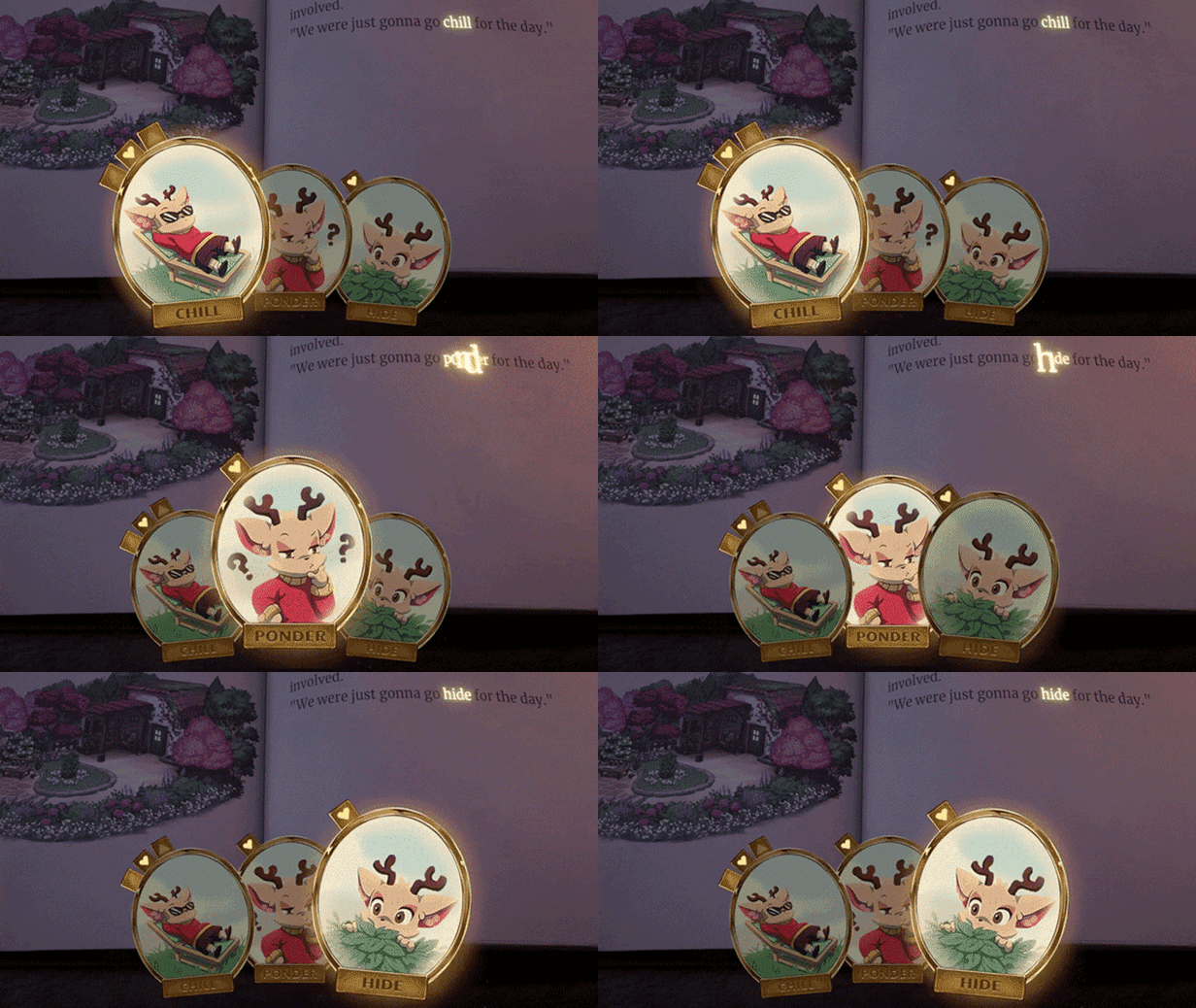
While helping Luka investigate the strange goings-on in Beacon Pines, you’ll collect special golden charms, each with a word engraved on it. These charms can be used at certain turning points in the story to fill in a blank word and drastically change everything that follows.
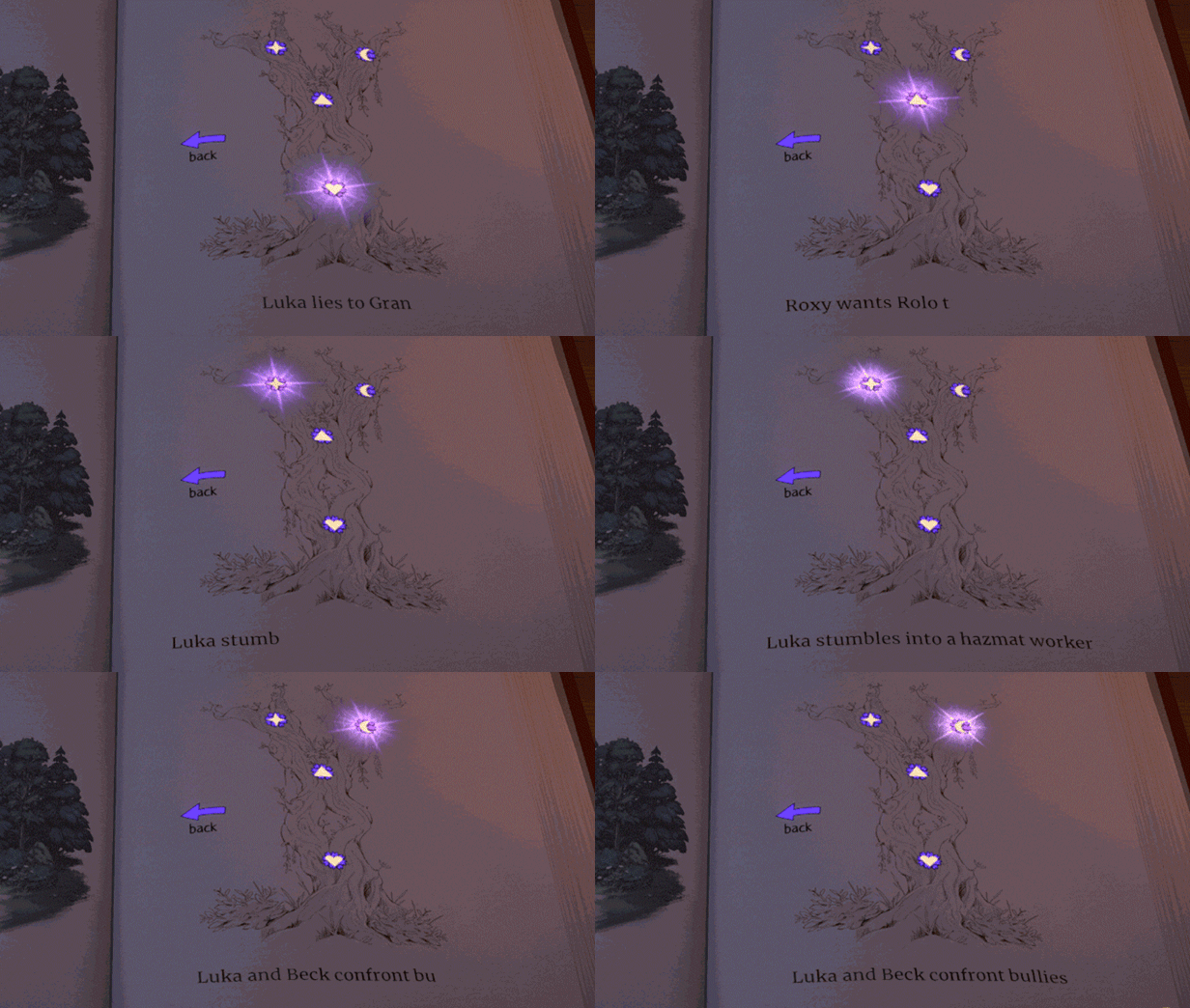
As the book's reader, you’ll navigate the story’s turning points using The Chronicle: an interactive story tree that branches and grows along with your choices. Exploring one set of events can unlock new charms to use on another branch, leading you to jump back and forth between entirely different versions of the story in order to unravel the mysteries at the heart of Beacon Pines.
System Requirements
-
OS : Windows 7
-
Processor: 1.8GHz+
-
Memory: 2 GB RAM
-
Graphics: 1GB
- Storage: 500 MB available space
Loading player reviews…
| Name | Image |
|---|
This product currently supports the following languages:
Windows

Steam key activation & download guide
Follow these steps if you purchased a Steam Key. Steam Gifts use the separate gift-redemption instructions.
Get Steam ready
You will need the Steam desktop client installed on your computer. If it is already installed, simply open it. Otherwise, install Steam before continuing with the activation steps below.
Sign in to your Steam account
Open Steam and sign in, or create an account if you do not have one. Check that you are using the account on which you want to activate your purchase.
Open product activation
In the Steam client, choose + Add a Game at the bottom-left, then Activate a Product on Steam. Follow the on-screen prompts.
Enter your Steam key
Copy the product key supplied with your purchase into the activation field and continue through the confirmation. Use the product key, not your order number.
Download and play
Open your Steam Library, select the activated game and choose Install. Follow the download and installation prompts, then launch the game from your Library.
Having trouble activating your key? Check that you copied the full product key and entered it in Activate a Product on Steam, not the wallet-code field. If you still need help, contact our support team with your order number and the error message shown. Keep your product key private.
· Publisher: Fellow Traveller
