




Beneath Oresa (Xbox One/Xbox Series X|S) Download
Runs on Windows
Runs on Windows
Runs on MAC
Runs on Linux
Play on XBOX 360
Play on Wii U
 Play on XBOX ONE
 Play on Series X|S
Play on PS3
Play on PS4
HTC Vive Support
Oculus Rift Support
Windows Mixed Reality Support
Released
Developed by
Published by Goblinz Publishing
Play on XBOX ONE
Play on Series X|S  Single Player
 Controller Support
 Achievements
 Adventure
 RPG
 Strategy
 Download
gamers playing right now

£20.99
Save 4%
Our Price: £19.99

Choose your hero. Choose your companion. Choose your cards.
Dive into Oresa and face its many perils in fast-paced missions.
Beneath Oresa is a fighting roguelike deckbuilder. Deep within the city, confront your foes in real tactical arenas. As a strategist, choose your cards, upgrades, and artifacts wisely, but as a fighter, keep your distances with your foes, engage them at the right moment and turn their positioning to your advantage. With several factions, many heroes with unique abilities, daily missions, unique game mechanics and more, this furious combination of roguelike and tactics elements will lead you deep beneath Oresa.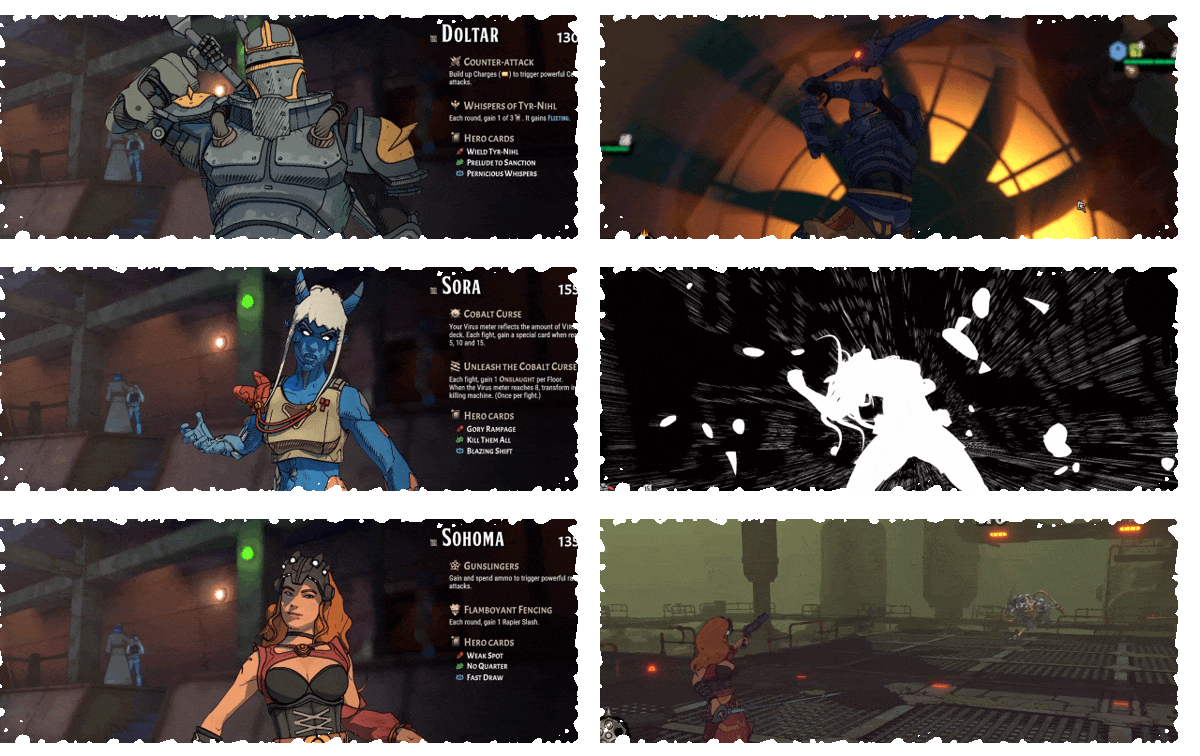

Each time you dive into the depths, you choose a second hero to accompany you. As a companion, each hero brings eight unique powers. With dozens of possible duos you can develop your own playstyle or try improbable duos.
Do you need an expert against boss fights or a proto-blacksmith that enhances your card upgrades?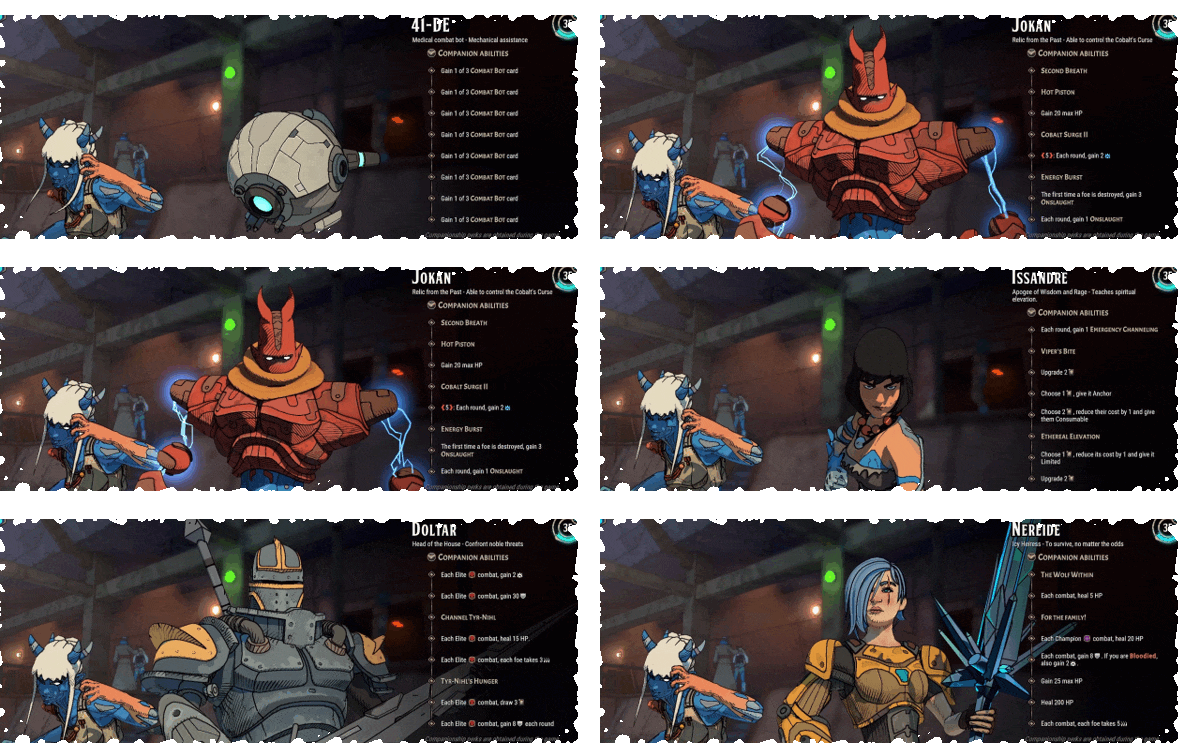

Position on the battlefield has never been more important! Line up enemies for super attacks, move to a different zone to avoid being hit, or position enemies to knock into each other.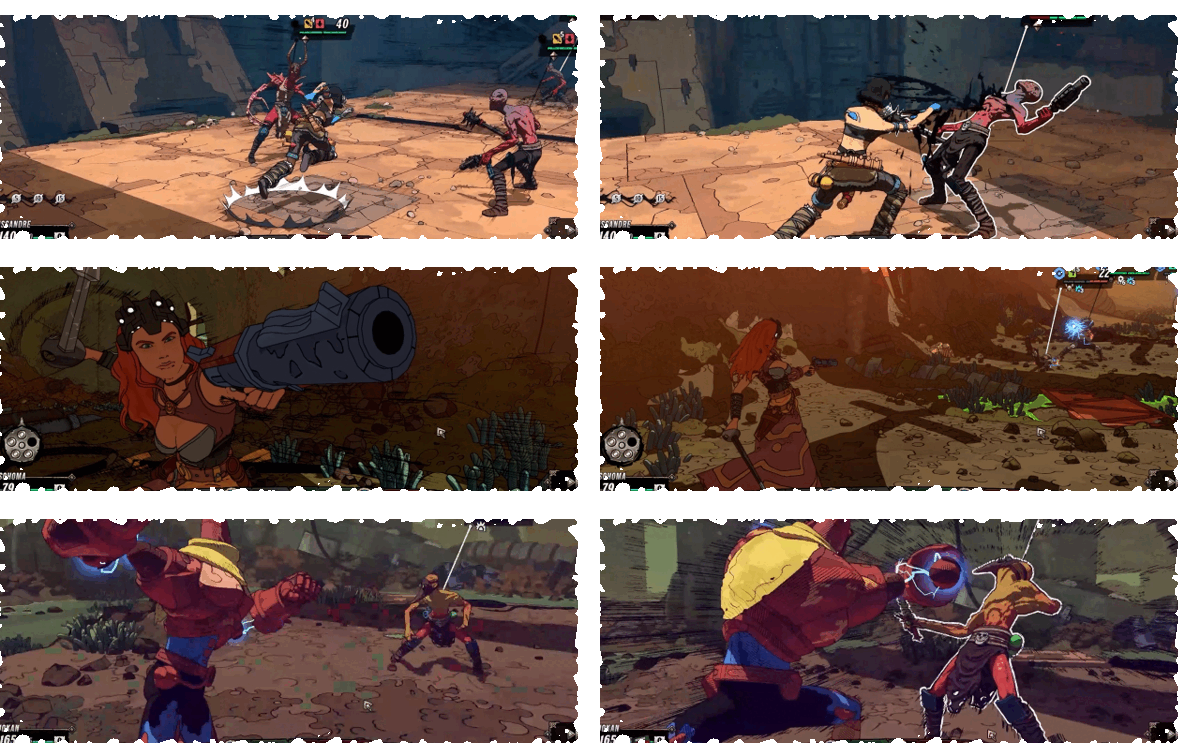

Cards don’t just get better. Each card upgrade comes with a difficult strategic choice between two upgrades. Choose wisely, depending on your deck and playstyle.
A powerful bonus but only for the round? Or the same bonus but for the whole fight? Two different paths...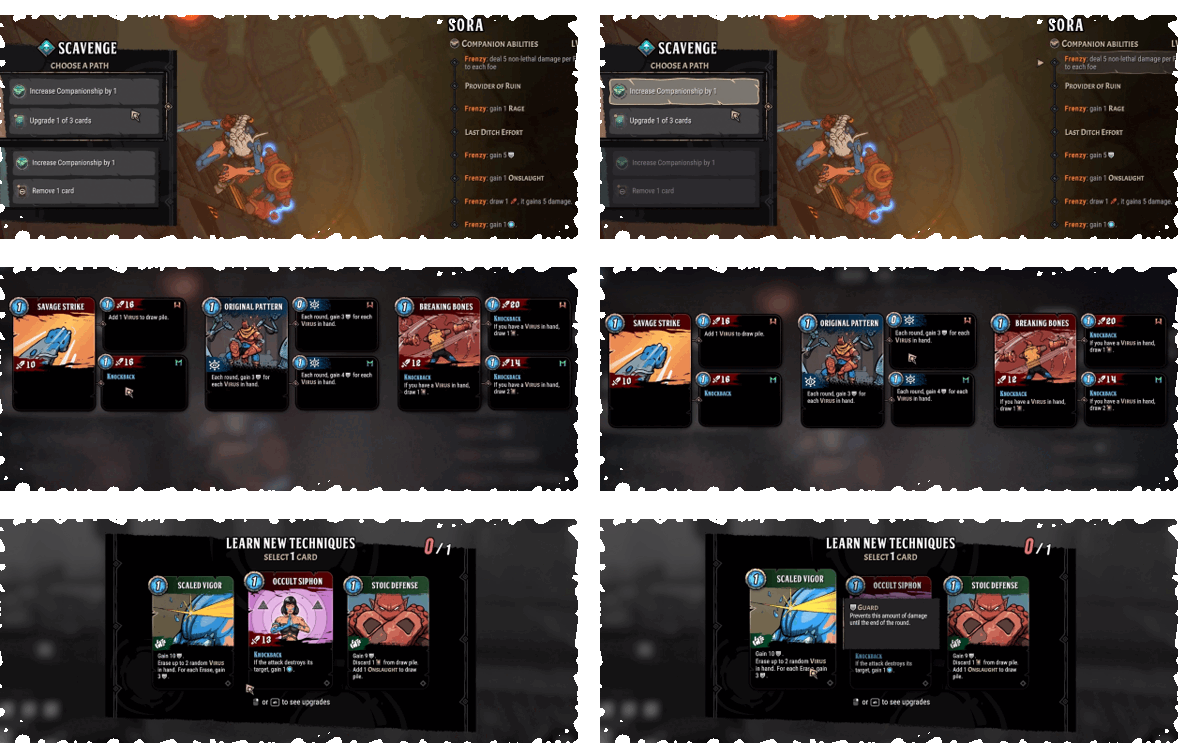

Xbox key activation & download guide
Follow these steps if you purchased an Xbox digital key. Use the Microsoft account on which you want to keep and play your purchase.
Have your Xbox code ready
Find the product code supplied with your purchase. Xbox codes contain 25 letters and numbers, usually displayed in five groups. Use the product code, not your order number.
Sign in on your Xbox
Switch on your console, connect to the internet and sign in to your Microsoft account. Double-check the account before continuing: redeemed codes cannot be transferred to another account.
Open code redemption
Open Microsoft Store on your Xbox console and choose the option to Redeem a code.
Enter and confirm your code
Enter the full 25-character code and follow the on-screen prompts. Check the product shown and confirm redemption to add it to your account.
Download and play
Open My games & apps, find the redeemed game in your library and choose Install. Follow the installation prompts, then launch the game when it is ready.
Before you redeem: check the console and edition listed on your purchase. These instructions do not add support for other platforms or a different edition.
Having trouble activating your key? Check that you entered the full code and are signed in to the intended account. If an error remains, contact our support team with your order number and the exact error message. Keep your product key private.
· Publisher: Goblinz Publishing