




Cubetractor (PC/MAC) Steam Download
Runs on Windows
 Runs on Windows
 Runs on MAC
Runs on Linux
Steam Deck compatibility
Compatibility details are loading.
Reported by Steam. Cached for up to 24 hours.
Play on XBOX 360
Play on Wii U
Play on XBOX ONE
Play on Series X|S
Play on PS3
Play on PS4
HTC Vive Support
Oculus Rift Support
Windows Mixed Reality Support
Steam Deck compatibility
Compatibility details are loading.
Reported by Steam. Cached for up to 24 hours.
Released
Developed by
Published by Ludochip
Runs on Windows
Runs on MAC  Single Player
 Controller Support
 Achievements
 Cloud Saves
 Steam Leaderboards
 Action
 Puzzle
 Strategy
 Download
gamers playing right now

£3.99
Save 74%
Our Price: £1.009 left!

- Description
- Track Listing
- Media
- Reviews
- Trading Cards
- Achievements
- Languages
- System Requirements
- How Do I Download?
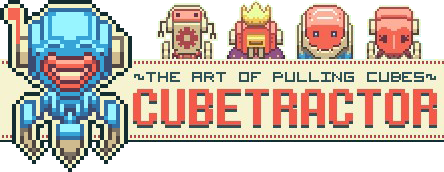

Cubetractor is a neo-retroesque action-strategy-puzzle hybrid where you defeat enemies through an unconventional cube-pulling, turret-buildling mechanic.
The game carries elements of a reverse tower defence and a grounded bullet-hell dodger to deliver a unique gameplay experience presented in a classic top-down perspective.
You play as Endroi, a menacingly happy-go-lucky quadrubot as he strives to master the art of Cubetracting -- the art of attracting Cubes. It's a deceptively straightforward skill that involves dexterity, acute awareness, multi-tasking and tactical positioning. You'll have to strategize, solve and fight your way through multitudes of enemy installations to achieve your coveted goal.
Features
- 40+ maps for you to pull, crush and build: Levels carefully designed to bring out the emergent dynamics in a unique mechanic.
- Symmetrical Balance: Why do bad guys always have to be stronger than you? In Cubetractor, the enemy structures are exactly the same as yours, other than they got there first. Defeating them is a matter of thoughtful timing and positioning.
- Purely indie-made: Done by 2 people, living off their savings, working off random coffee joints.
- Hardcore Awards for Hardcore Players: The main levels are designed for speedruns. Collect all the batteries, reach the finishing goal within impressively tight time limits -- do all that without a scratch -- to earn the most coveted of accolades. Don't worry, there are also options for those of us that are more human.
System Requirements
Windows
-
Processor:2.0GHz processor
MAC
- Processor:2.0GHz processor
Loading player reviews…
| Name | Image |
|---|
This product currently supports the following languages:
Windows
Mac

Steam key activation & download guide
Follow these steps if you purchased a Steam Key. Steam Gifts use the separate gift-redemption instructions.
Get Steam ready
You will need the Steam desktop client installed on your computer. If it is already installed, simply open it. Otherwise, install Steam before continuing with the activation steps below.
Sign in to your Steam account
Open Steam and sign in, or create an account if you do not have one. Check that you are using the account on which you want to activate your purchase.
Open product activation
In the Steam client, choose + Add a Game at the bottom-left, then Activate a Product on Steam. Follow the on-screen prompts.
Enter your Steam key
Copy the product key supplied with your purchase into the activation field and continue through the confirmation. Use the product key, not your order number.
Download and play
Open your Steam Library, select the activated game and choose Install. Follow the download and installation prompts, then launch the game from your Library.
Having trouble activating your key? Check that you copied the full product key and entered it in Activate a Product on Steam, not the wallet-code field. If you still need help, contact our support team with your order number and the error message shown. Keep your product key private.
· Publisher: Ludochip
