




FATAL FURY: City of the Wolves Special Edition (PC) Steam Download
Runs on Windows
 Runs on Windows
Runs on MAC
Runs on Linux
Steam Deck compatibility
Compatibility details are loading.
Reported by Steam. Cached for up to 24 hours.
Play on XBOX 360
Play on Wii U
Play on XBOX ONE
Play on Series X|S
Play on PS3
Play on PS4
HTC Vive Support
Oculus Rift Support
Windows Mixed Reality Support
Steam Deck compatibility
Compatibility details are loading.
Reported by Steam. Cached for up to 24 hours.
Released
Developed by
Published by SNK CORPORATION
Runs on Windows  Single Player
 Multi-Player
Cross-Platform Multiplayer
 Controller Support
 Achievements
 Cloud Saves
 Action
 Fighting
 Download
 Video games that show violence of a slightly more graphic nature towards fantasy characters or non-realistic violence towards human-like characters would fall in this age category. Sexual innuendo or sexual posturing can be present, while any bad language in this category must be mild. Gambling as it is normally carried out in real life in casinos or gambling halls can also be present (e.g. card games that in real life would be played for money).
gamers playing right now

£47.15
Save 4%
Our Price: £44.99
- Description
- Track Listing
- Media
- Reviews
- Trading Cards
- Achievements
- Languages
- System Requirements
- How Do I Download?

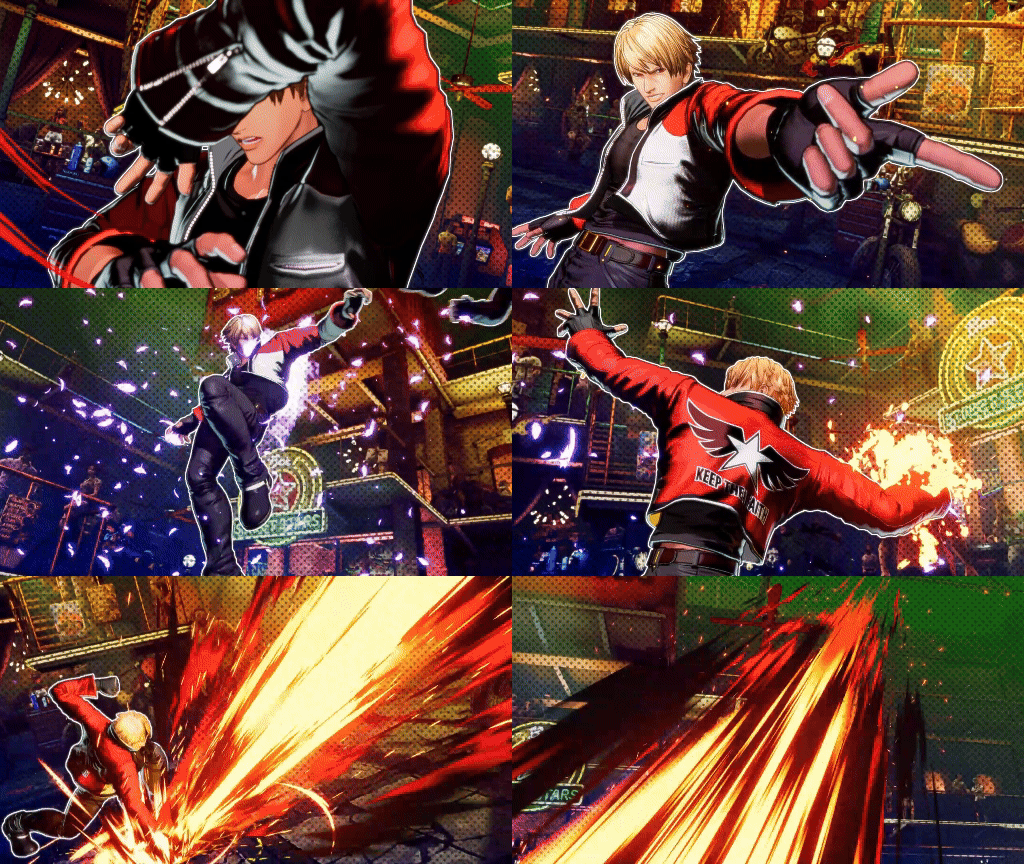
SNK’s beloved Fatal Fury series first hit the market in 1991, spearheading the fighting game boom of the 1990s that swept the industry thereafter. GAROU: MARK OF THE WOLVES (released in 1999) has, for some time, served as the franchise’s most recent installment. But that is all about to change: 26 years on, a brand-new entry—FATAL FURY: City of the Wolves—is set to arrive on the scene!
■All-new REV System supercharges the excitement!
Introducing the REV System, a brand-new toolset that offers unique offensive options from the moment the battle begins! Use REV Arts, REV Accel, REV Blows (while S.P.G. is active), and more until you hit your limit and the REV Meter overheats. The all-new REV System—fight at full throttle and supercharge the excitement!
■Two control schemes—fun for newcomers and veterans alike!
Choose from two control schemes: Arcade Style is based on precise, technical inputs, while Smart Style lets you perform flashy special moves and combos using directional inputs and single button presses. From fighting game newcomers to seasoned veterans, there’s plenty of fun and excitement to be had—tailored specifically to your level!
■Memorable fighters from far and wide descend on the streets of South Town!
The action kicks off with a total of 22 characters: a diverse 17-member roster of familiar faces and new blood, plus five DLC fighters in Season Pass 1. Every character is vibrantly presented in CotW's unique art style, which is guaranteed to stimulate the senses.

■Strive for supremacy in EPISODES OF SOUTH TOWN, a single-player RPG mode!
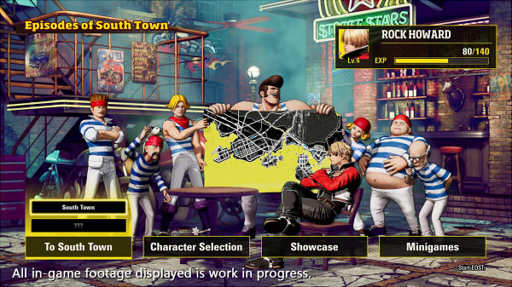
Introducing “Episodes of South Town” (EOST)—a solo RPG adventure where you’ll square up against contenders under various fight conditions, earning XP and other rewards for your efforts. Level up your fighter, build out a diverse kit of skills, and dominate the opposition on your way to the top. Dreams and ambitions run rampant in South Town; now is the time to chase the city’s crown and carve a legend all of your own!
* To play EOST you’ll first need to connect to the Internet and update the game.
Loading player reviews…
| Name | Image |
|---|
This product currently supports the following languages:
Windows

Steam key activation & download guide
Follow these steps if you purchased a Steam Key. Steam Gifts use the separate gift-redemption instructions.
Get Steam ready
You will need the Steam desktop client installed on your computer. If it is already installed, simply open it. Otherwise, install Steam before continuing with the activation steps below.
Sign in to your Steam account
Open Steam and sign in, or create an account if you do not have one. Check that you are using the account on which you want to activate your purchase.
Open product activation
In the Steam client, choose + Add a Game at the bottom-left, then Activate a Product on Steam. Follow the on-screen prompts.
Enter your Steam key
Copy the product key supplied with your purchase into the activation field and continue through the confirmation. Use the product key, not your order number.
Download and play
Open your Steam Library, select the activated game and choose Install. Follow the download and installation prompts, then launch the game from your Library.
Having trouble activating your key? Check that you copied the full product key and entered it in Activate a Product on Steam, not the wallet-code field. If you still need help, contact our support team with your order number and the error message shown. Keep your product key private.
· Publisher: SNK CORPORATION