




Saints Row IV (PC) Steam Download
Runs on Windows
 Runs on Windows
Runs on MAC
Runs on Linux
Steam Deck compatibility
Compatibility details are loading.
Reported by Steam. Cached for up to 24 hours.
Play on XBOX 360
Play on Wii U
Play on XBOX ONE
Play on Series X|S
Play on PS3
Play on PS4
HTC Vive Support
Oculus Rift Support
Windows Mixed Reality Support
Steam Deck compatibility
Compatibility details are loading.
Reported by Steam. Cached for up to 24 hours.
Released
Developed by
Published by Deep Silver
Runs on Windows  Single Player
 Co-Op
 Controller Support
 Achievements
 Steam Trading Cards
 Cloud Saves
 Action
 Adventure
 Includes Manual
 Download
 The adult classification is applied when the level of violence reaches a stage where it becomes a depiction of gross violence, apparently motiveless killing, or violence towards defenceless characters. The glamorisation of the use of illegal drugs and explicit sexual activity should also fall into this age category.
gamers playing right now

£10.99
Save 27%
Our Price: £7.99
- Description
- Track Listing
- Media
- Reviews
- Trading Cards
- Achievements
- Languages
- System Requirements
- How Do I Download?

The epic conclusion to the game that changed all the rules! The Saints have gone from the crackhouse to the White House—but the Earth has been invaded and it’s up to you to free the world from Overlord Zinyak and his alien empire. With homies new and old by your side, and an arsenal of superpowers and strange weapons, you must save the world in the wildest open world game ever!
Key Features
- The American (Fever) Dream – Play as the President of the United States in a story that spans countries, space, and time. Saints Row IV is to Saints Row: The Third what Saints Row: The Third is to Do The Right Thing. You’re not ready.
- Super Hero-in-Chief – Leap over buildings. Kill people with your mind. Run through tanks. Those are some of the most mundane powers you will wield in your quest to stop an alien menace hell-bent on destroying the Earth.
- Alien Toys of Destruction - Wield an impressive array of alien vehicles and weapons… FOR SCIENCE!
- Custom Weapons, Custom Mayhem – You’ve customized your character. You’ve customized your clothes. Now you can complete the look with our all new weapon customization system. Turn traditional weapons into exotic conversation pieces!
- Dynamic Duo - Seamless drop-in, drop-out co-op, a Saints Row standard, improved. The only thing better than one malicious super-powered President is two.
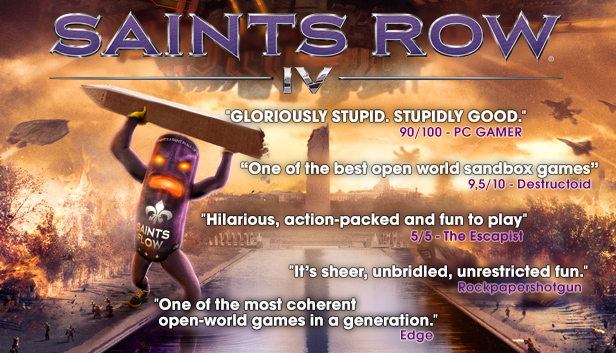
Reviews
System Requirements
- OS: Windows Vista (x86 or x64)
- Processor: Intel Core 2 Quad Q6600 | AMD Athlon II x3
- Memory: 4 GB RAM
- Graphics: NVIDIA GTX 260 | AMD Radeon HD 5800 series
- DirectX: Version 10
- Hard Drive: 10 GB available space
- OS: Windows 7 (x86 or x64)
- Processor: Intel i3 2100T | AMD Phenom II x4 or higher
- Memory: 4 GB RAM
- Graphics: NVIDIA GTX 560 | AMD Radeon HD 6800 series or higher
- DirectX: Version 11
- Hard Drive: 10 GB available space
Loading player reviews…
| Name | Image |
|---|
This product currently supports the following languages:
Windows

Steam key activation & download guide
Follow these steps if you purchased a Steam Key. Steam Gifts use the separate gift-redemption instructions.
Get Steam ready
You will need the Steam desktop client installed on your computer. If it is already installed, simply open it. Otherwise, install Steam before continuing with the activation steps below.
Sign in to your Steam account
Open Steam and sign in, or create an account if you do not have one. Check that you are using the account on which you want to activate your purchase.
Open product activation
In the Steam client, choose + Add a Game at the bottom-left, then Activate a Product on Steam. Follow the on-screen prompts.
Enter your Steam key
Copy the product key supplied with your purchase into the activation field and continue through the confirmation. Use the product key, not your order number.
Download and play
Open your Steam Library, select the activated game and choose Install. Follow the download and installation prompts, then launch the game from your Library.
Having trouble activating your key? Check that you copied the full product key and entered it in Activate a Product on Steam, not the wallet-code field. If you still need help, contact our support team with your order number and the error message shown. Keep your product key private.
· Publisher: Deep Silver