




Synergia (PC/MAC/LINUX) Steam Download
Runs on Windows
 Runs on Windows
 Runs on MAC
 Runs on Linux
Steam Deck compatibility
Compatibility details are loading.
Reported by Steam. Cached for up to 24 hours.
Play on XBOX 360
Play on Wii U
Play on XBOX ONE
Play on Series X|S
Play on PS3
Play on PS4
HTC Vive Support
Oculus Rift Support
Windows Mixed Reality Support
Steam Deck compatibility
Compatibility details are loading.
Reported by Steam. Cached for up to 24 hours.
Released
Developed by
Published by Top Hat Studios, Inc.
Runs on Windows
Runs on MAC
Runs on Linux  Single Player
 Achievements
 Steam Trading Cards
 Adventure
 RPG
 Simulation
 Download
 This rating is applied once the depiction of violence (or sexual activity) reaches a stage that looks the same as would be expected in real life. The use of bad language in games with a PEGI 16 rating can be more extreme, while games of chance, and the use of tobacco, alcohol or illegal drugs can also be present.
gamers playing right now

£9.29
Save 78%
Our Price: £2.021 left!

- Description
- Track Listing
- Media
- Reviews
- Trading Cards
- Achievements
- Languages
- System Requirements
- How Do I Download?
Synergia is a yuri thriller visual novel that takes place in a cyberpunk future, wrapped up in a beautifully unique, vibrant neon aesthetic. At the end of the world, sometimes love is the ultimate crime.
Story
Cila, a veteran cop with a sour outlook and anger issues expects nothing more from life besides the smell of ozone, blinding neon lights and the ever-present manhole steam. At least, until a shady friend replaces her broken-down housedroid as a favor. Advanced, more efficient and remarkably perceptive, unit M.A.R.A. begins to penetrate Cila's toughened exterior and possibly even heal her new owner's old wounds – if Cila can decipher the recurring nightmare the process brings. Soon Cila and Mara forge a unique - if sometimes uneasy - bond. Unbeknownst to Cila, just as her life begins to find its new normal, the technological giant Velta Labs gets wind of Mara's existence and takes a mysterious interest in the android. A war unlike any before it is brewing on the horizon, its players are silently being selected and one android's fate may spell the difference between peace, war, the blossoming of a new religion, or a technological singularity beyond comprehension.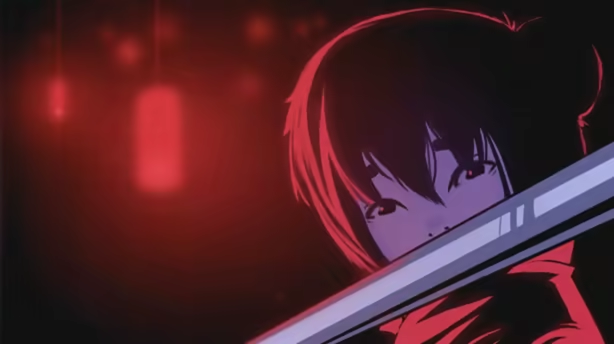
Features
- Nearly 100 combined, unique backgrounds and CGs
- 20+ characters, all with interesting backgrounds and personalities deeply woven into the narrative
- An estimated 6-9 hours of gameplay
- A unique, vibrant art aesthetic that pervades the neon dystopian setting of the game
- A beautiful, vivid soundtrack that complements the game's aesthetic, composed by Andy Andi Han, one of the composers of Katawa Shoujo and Sense: A Cyberpunk Ghost Story
- Choices that deeply affect the protagonist's journey and world around them, with multiple endings
Currently available in English, Simplified Chinese, and Spanish. Russian and Japanese following shortly.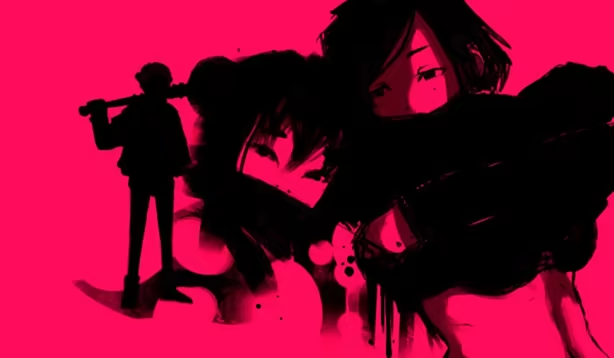
Loading player reviews…
| Name | Image |
|---|
This product currently supports the following languages:
Windows
Mac
Linux

Steam key activation & download guide
Follow these steps if you purchased a Steam Key. Steam Gifts use the separate gift-redemption instructions.
Get Steam ready
You will need the Steam desktop client installed on your computer. If it is already installed, simply open it. Otherwise, install Steam before continuing with the activation steps below.
Sign in to your Steam account
Open Steam and sign in, or create an account if you do not have one. Check that you are using the account on which you want to activate your purchase.
Open product activation
In the Steam client, choose + Add a Game at the bottom-left, then Activate a Product on Steam. Follow the on-screen prompts.
Enter your Steam key
Copy the product key supplied with your purchase into the activation field and continue through the confirmation. Use the product key, not your order number.
Download and play
Open your Steam Library, select the activated game and choose Install. Follow the download and installation prompts, then launch the game from your Library.
Having trouble activating your key? Check that you copied the full product key and entered it in Activate a Product on Steam, not the wallet-code field. If you still need help, contact our support team with your order number and the error message shown. Keep your product key private.
· Publisher: Top Hat Studios, Inc.
